Starting an STR Business
Short-Term Rental Guide for Aspiring Hosts
Learn how to get started as a host, manage your property efficiently, make more money, and set your business up for success.

Your first guest will arrive at a home you’ve cleaned twice, checked three times, and still forgot to stock with toilet paper. Every host has a story like that. What separates hosts who quit after one season from those who build a real business is a system for everything that happens between the booking and the review.
This short-term rental guide walks you through that system: what to set up before your first guest arrives, and how to handle every stage of the stay, from the booking request to the checkout cleaning.
Before Your First Guest
Most of the work that decides whether your rental succeeds happens before anyone books it.
Identify Your Ideal Guests
Before you start preparing your property for guests, you need a clear understanding of the types of travelers you want to attract. You can identify ideal guests for your STR property based on your location, market specifications, property type, and size.
For example, if you own a beach house in a popular resort town, you’re likely to cater to families with children looking for the perfect getaway for their vacation. If you want to rent out a small, cozy condo in an affordable market, it may appeal to digital nomads working remotely. If you own an apartment in a downtown business hub, it may attract business travelers.
Defining your target guests and understanding their needs, preferences, and behaviors will help you decide what kind of hosting experience to offer and create a listing that appeals to the people most likely to book with you. You’ll be able to tailor your amenities, build your marketing strategy based on their needs and preferences, and communicate with your guests more effectively.
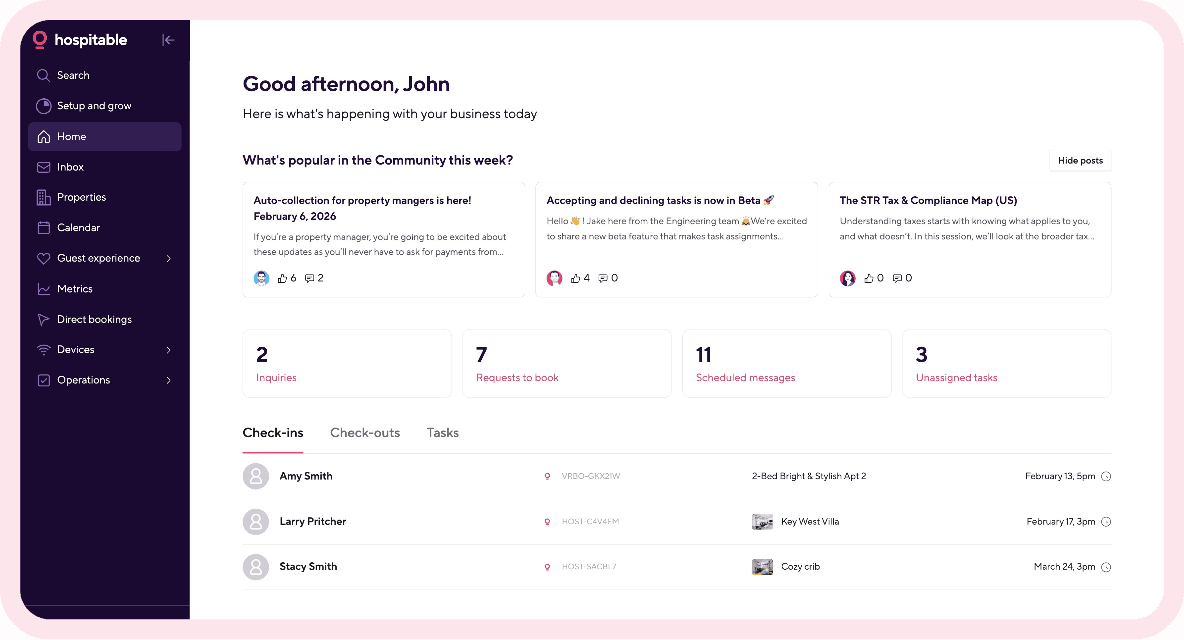
By understanding your target guests more deeply and meeting their expectations, you can attract the right audience, deliver exceptional guest experiences, and ultimately increase revenue and build a thriving STR business. You’ll be able to grow your business faster if you make it more efficient by automating routine property management tasks using a PMS like Hospitable.
Stay Compliant with Local Regulations
Short-term rentals are subject to various local regulations and laws, which vary significantly by jurisdiction. So before you take photos and create listings for your property, confirm whether you can rent it out.
Research and understand specific regulations in your area, including registration, licenses, permits, taxes, zoning rules, safety requirements, and occupancy limits. Compliance is a legal obligation, and it also keeps your business sustainable and your neighbors on your side.
You may want to check out our blog, where we explain how short-term rental regulations work in the US and how to stay compliant.
Furnish Your Property and Invest in Amenities
Short-term rentals cater to travelers who prefer a home-like stay over a hotel, so before listing your home or apartment on Airbnb or other major OTAs, prepare your property with your target audience in mind. Upgrade your interior design, decorate and furnish your rental, and update your appliances to create a beautiful, cozy space where guests can relax and enjoy their stay.
When choosing furniture for your short-term rental, opt for practical, durable pieces that can withstand frequent use.
Invest in artwork, mirrors, vases, throw pillows, and other home décor items to add personality, comfort, and style to your rental space.
Provide all the basic amenities your guests need to get by—comfortable bedding, quality towels, kitchen essentials, and sufficient toiletries.
Consider providing sought-after extras, such as high-speed WiFi, a washing machine or dryer, a dedicated workspace, and free parking.
Keep safety in mind—equip your short-term rental with fire extinguishers, smoke detectors, carbon monoxide detectors, first aid kits, flashlights, and candles. Provide clear emergency contact information.
Optimize outdoor areas—provide comfortable seating for guests to relax and enjoy outdoors, install outdoor lighting, and add potted plants.
Today’s guests have high expectations, so the better your property looks, the more likely potential guests are to choose your listing on OTA platforms. The amenities and design of your property can also determine your nightly rates and make or break your ratings with guests.
Create a short-term rental inventory checklist to ensure that nothing gets overlooked and you cover all the basics to meet your target guests’ preferences. Then you’ll feel more confident when making your space guest-ready.
Consider investing in smart thermostats to automate temperature control and ensure guests feel comfortable as soon as they enter your property. This way, you’ll make your short-term rental more energy-efficient so your listing may look more appealing to eco-conscious travelers.
To make the best use of your smart thermostats, you can connect the supported models to Hospitable. Our STR super app will automatically adjust your thermostat settings based on bookings and vacancies in your rental space. And you'll be able to manage your smart thermostats from your Device Dashboard.
Create a Listing That Sells
Your listing is your storefront, and for most guests, it’s the only thing they see before they decide to book. Start with one platform, usually Airbnb, and put real effort into it. Invest in professional photos, write a title that highlights what makes your place different, and use the description to sell the experience of staying there, not just a list of rooms. Our vacation rental description examples and listing optimization tips will help.
Once your first listing is polished, you don’t need to rebuild it from scratch on every other platform. With Hospitable’s listing management, you can create Booking.com and Vrbo listings right from your Hospitable account, without starting from a blank page. You’ll need at least three good reviews first, which is one more reason to get your first listing right. After that, you manage your listings, pricing, and availability across Airbnb, Booking.com, Vrbo, and your direct booking site in one place. Change something once, and Hospitable pushes the update to every connected channel.
Diversify Your Listing Platforms
Instead of relying solely on a single platform, list your short-term rental property on multiple websites to expand your online presence. This way, you can optimize visibility, reach different traveler demographics, and increase booking opportunities.
Your channel mix should definitely include major OTA platforms such as Airbnb, Vrbo, Booking.com, and Agoda. These are global platforms that operate in 200+ countries, and most travelers use them to book stays. You may also consider niche channels, such as Glamping Hub, Hopper, or Houfy. Each platform has its own user base, so you can get your STR property in front of a wider range of potential guests.
Opt for Dynamic Pricing
Setting your nightly rates is one of the most important parts of learning how to run a short-term rental. If you set your prices too high, your property will sit empty; if you set them too low, you’re leaving money on the table.
When setting your rates, ensure they cover all operating costs, allow you to profit, and stay competitive to attract guests. So you need to calculate break-even costs first, research comparable properties in your area to see what other hosts are charging, and take into account market demand fluctuations to set seasonal highs and lows.
STR properties priced more accurately get more bookings. But you shouldn’t focus on occupancy alone because a fully booked calendar at a discounted rate can earn you less money than fewer bookings at the right price. You should also track RevPAR, a vacation rental metric that combines average daily rate (ADR) and occupancy rate and measures how well a property generates revenue.
The easiest way to get your pricing right is to use a dynamic pricing tool that recommends nightly rates based on market conditions, ensuring they are competitive and optimized to maximize revenue. Hospitable users can take advantage of our built-in Dynamic Pricing solution that is included in the Host, Professional, and Mogul subscription plans. With Hospitable, you can get your pricing right without paying extra.
If you enable the Dynamic Pricing feature for your property, Hospitable will automatically adjust your nightly rates based on local demand, seasonality, competition, and other factors to help maximize revenue while maintaining healthy occupancy.
From Booking to Arrival
Once a reservation comes in, your job is to make sure the right guest arrives at a ready property without any friction.
Reduce Potential Risks of Dealing with Difficult Guests
Running a short-term rental means opening your property to strangers. Most travelers treat STR properties with respect, but a small number of guests can cause problems: property damage, neighbor complaints, or even issues with local authorities. That’s why you need to filter out troublesome guests before they arrive.
Create a short-term rental agreement that outlines the terms and conditions for staying at your property, and ask your guests to sign it. This formal legal contract sets clear expectations for your guests and protects your property if an unexpected situation arises.
This helps you avoid misunderstandings and disputes and ensures a positive experience for both you and your guests. Implementing rental agreements doesn’t mean creating a new contract for each new booking manually.
With Hospitable, you can create a rental agreement template, and our system will automatically populate it with guest and booking data to generate a rental agreement for every reservation. We’ll add it to the Guest Portal as a registration task for the guest, and they will be able to sign it digitally.
Another effective measure is adding a security deposit to your listings. It can help reduce the risk of damage and cover the costs when it occurs. Hospitable can help you protect your property and your income without extra work with flexible, automated security deposits. Just enter the amount you want to collect. Hospitable will automatically charge your guests 2 days before check-in and refund them 2 days after checkout.
Consider screening guests to verify their identity and assess their risk level. With Hospitable, you can request ad-hoc verification of any guest who booked your property and confirm their identity without awkward conversations or extra work. Your guests will be prompted to complete guest verification checks in their Guest Portal.
Hospitable also gives you an extra layer of protection with AI Guest Summary. It analyzes up to 10 past reviews other hosts have left for each guest and flags unusual booking patterns, so you can spot potential problems before you accept the booking.
Ensure Smooth Self-Check-In
Travelers like the flexibility and convenience of self-check-in, which lets them access a short-term rental independently without meeting the host in person. With self-check-in, guests don’t need to sync their travel schedule with a host's availability, so they often filter OTA search results to show only listings that offer it.
Offering self-check-in is a great way to give guests a hassle-free start to their stay and save time as a host. You just need to install a smart lock and provide detailed check-in instructions. Smart locks with unique per-guest codes are the most secure option. They allow you to forget about lost keys and control who can enter your property.
Smart locks also integrate with property management systems like Hospitable, making it easy to manage them remotely. If you connect a supported smart lock to Hospitable, our STR super app will automatically generate a unique access code for each reservation that only works during the stay and send it to a guest shortly before check-in. Codes are automatically activated at check-in and expire after checkout.
Unlike most PMS that offer smart device management as a paid add-on, Hospitable includes smart locks and thermostat integrations in Professional and Mogul plans.

During the Stay
While guests are at your property, quick, helpful communication keeps small issues from turning into bad reviews, and the right offers can add to every booking.
Master Guest Communication
Although short-term rentals operate differently than hotels, they are still part of the hospitality industry. As a host, you should focus not only on offering a comfortable, inviting place to stay, but also on delivering a consistent, pleasant guest experience.
Guests expect hosts to be responsive and helpful. That’s why effective communication with guests is key to the success of your short-term rental business. You should be proactive at every stage of the booking journey to provide your guests with important information (check-in and checkout instructions, local recommendations, review reminders, etc.). A smart idea is to create a digital guidebook and include all the necessary details about your property and the local area.
It’s also important to respond promptly to all guest messages, answer their questions, and address their concerns professionally. You don’t have to write each message to your guests manually. Short-term rental property management software like Hospitable can automate this process, saving you time.
You can create message templates for confirmations, check-ins, and reminders, and set messaging rules. Then Hospitable will send scheduled messages automatically at the right time.
You can also use Inbox AI tools to quickly draft detailed, personalized responses to guest messages based on data sources available in your Hospitable account, including information you’ve added to your property’s Knowledge Hub.
You can use AI to rewrite your messages and improve their clarity and tone, as well as fix grammar and awkward phrasing.
You can enable AI Auto Reply and let the AI respond to guest messages automatically without your review. The Issue Alerts feature will notify you when a conversation requires your attention, and you need to step in.

Make More Money with Upsells
Offering your guests additional services and amenities for a fee is a smart way to increase your revenue per booking and improve guest stays. You can offer your guests paid add-ons such as early check-ins/late checkouts, luggage storage, mid-stay cleanings, pre-stocked groceries, bike rentals, or extra firewood.
With Hospitable, you can automate the upselling process and offer paid upsells to your guests in their guest portal, without requiring any additional third-party software. You only need to create a catalog of your offerings, add a link to your guest portal to one of the scheduled messages, and Hospitable will handle the rest. When your guests buy something, Hospitable will handle payments, payouts, and taxes.
After Checkout
The stay doesn’t end at checkout. What you do next shapes your next guest’s experience, your rating, and whether this guest comes back.
Find Reliable Cleaners
Keeping your rental space clean is one of the biggest factors in running a successful STR property. A spotless rental builds trust, sets the tone for a positive stay, helps earn 5-star reviews, and minimizes guest complaints or issues.
Cleaning between stays is different from standard home cleaning. It involves more tasks and requires checking every visible area, high-touch surface, and hidden corner, while keeping turnover speed in mind. That's why it makes sense to outsource turnover cleanings to professional cleaners who are trained to do everything quickly and thoroughly.
Provide your cleaners with a detailed, room-by-room cleaning checklist that reflects your standards. Ask them to follow it at every turnover so your short-term rental is ready for the next guest and nothing gets missed.
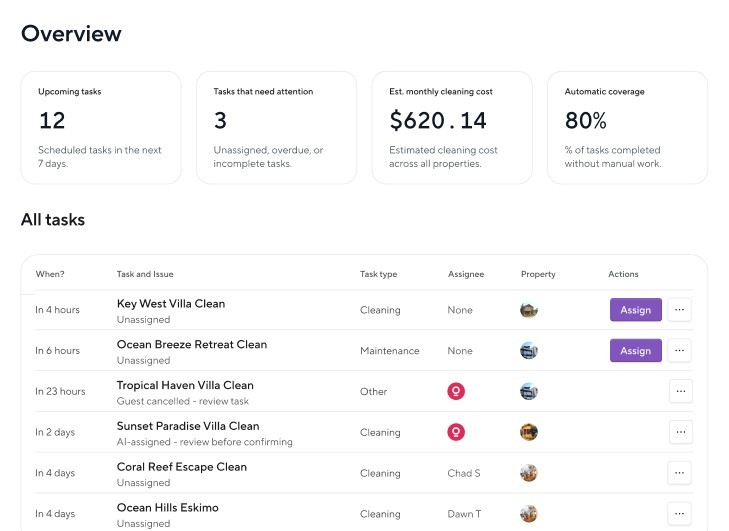
Coordinating turnover cleanings is easier when you automate the process with Hospitable. Our system will assign tasks to your cleaners automatically based on check-ins and checkouts. We’ll notify your cleaners about upcoming jobs via email or SMS.
With Hospitable Tasks, you can also invite your cleaners and other teammates to their portals where they can accept or reject assigned jobs, complete checklists, share updates, and message you directly. And you can track task progress in real time and pay your teammates when the job’s done.
Get More 5-Star Reviews
Reviews affect your search ranking, the rate you can charge, and a guest’s decision to book. Ask guests for a review in your checkout message, and leave a review for every guest promptly. On Airbnb, guests are notified when you’ve reviewed them, which nudges them to leave theirs. When a review mentions a problem, reply calmly and professionally, and fix the issue. Future guests read your responses as closely as the reviews themselves.
Writing a thoughtful review for every guest takes time, and it’s easy to miss Airbnb’s 14-day deadline. Hospitable’s review management tools handle it for you. Set up review rules for your Airbnb guests, and Hospitable will publish reviews automatically after checkout or after a delay you choose. You can create several review templates that Hospitable shuffles so your reviews don’t sound repetitive, or let AI write a personalized review based on the reservation details and your entire message history with the guest. If you prefer, you can check every review before it goes out.
If a stay goes wrong, mark the guest as “Bad,” and Hospitable will publish your review seconds before the review window closes, which reduces the risk of a retaliatory review. When guests review you, AI can draft a response for you to edit, and you can track and reply to reviews from Airbnb, Booking.com, and your direct booking site in one place.
Turn Guests into Repeat Guests
A guest who loved their stay is your cheapest future booking: no OTA commission and no new marketing costs. The challenge is staying in touch, since a guest who booked through Airbnb won’t remember your listing a year later.
The simplest step is to leave a small card with your direct booking website at the property so guests can take it home. A more reliable way is to collect contact details through your WiFi. With StayFi, guests log in to your WiFi through a splash page that collects the contact information of everyone who connects, not just the person who booked. StayFi integrates with Hospitable, and its email marketing tool lets you stay in touch with past guests, remind them about your place, and invite them to book their next stay directly. Hospitable users get it free for up to 200 contacts.
If you want to build a sustainable STR business, you also need to create a direct booking website. Accepting direct bookings can help you avoid high platform fees and develop direct relationships with guests who may become your repeat customers.
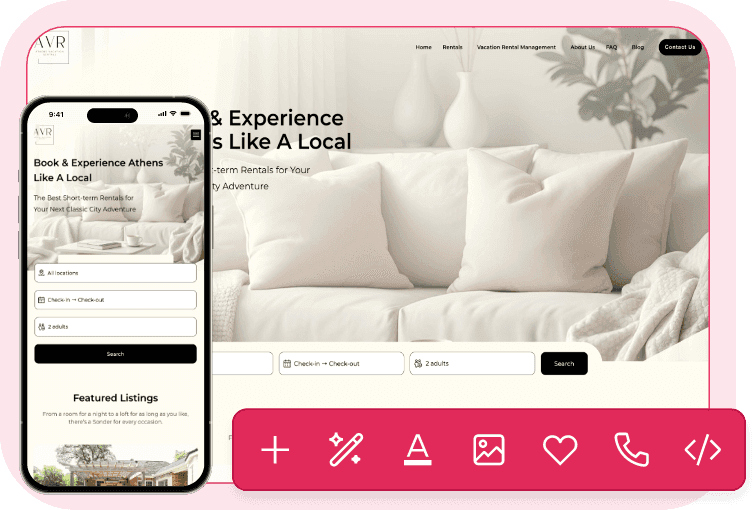
You can easily create a mobile-friendly direct booking website with powerful tools built in using Hospitable Direct. No coding skills are required. Your Hospitable Direct booking website will be equipped with payment processing and a booking engine. We’ll list your property on Google Vacation Rentals, and you’ll have an opportunity to get direct bookings without paying high third-party fees.
Automate Your STR Business
Operating an STR property involves many responsibilities and may feel like a full-time job if you do everything manually. Fortunately, all-in-one property management systems like Hospitable can help you automate many routine tasks and standard processes. Hospitable comes with a full set of automation tools that keep your operations running smoothly and cut your workload.
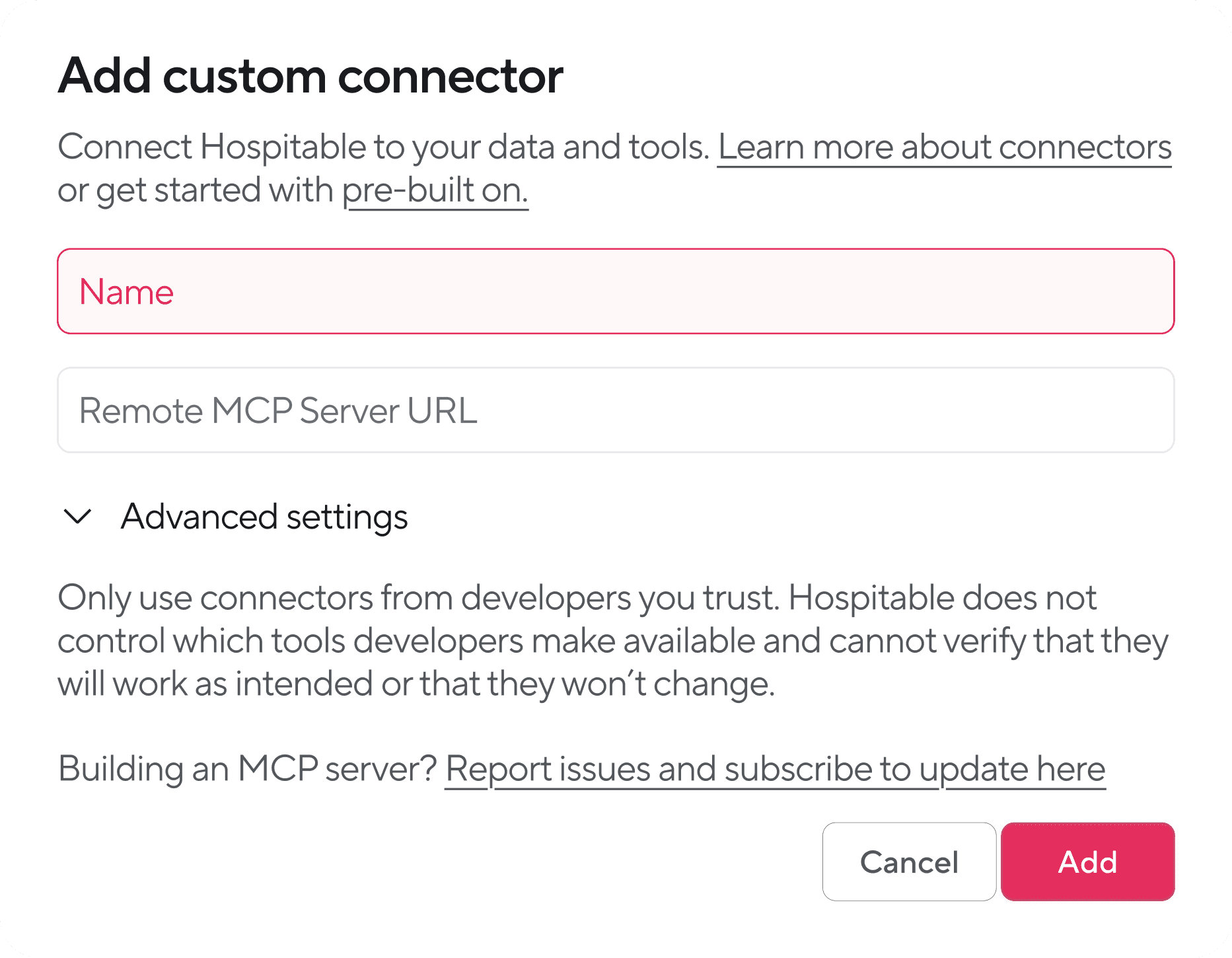
Hospitable is also the first PMS to launch an official MCP server, allowing you to implement AI agents, such as Claude or ChatGPT, into your daily operations and address your specific business challenges. With Hospitable MCP, you can connect supported AI tools to your Hospitable account and build automated workflows tailored to your business. This way, you can automate anything you want and run your business with simple prompts.
Once connected, an AI agent can operate within your Hospitable data environment and use the MCP tools available for your account to perform actions on your behalf: retrieve and analyze real-time data, send guest messages, answer operational questions, and help automate workflows. Connecting takes a couple of minutes and doesn’t require any coding. Just tell your AI what you want, and it will do the work. It won’t take any action in your account without your approval, and you can revoke access at any time.
Final Thought
There’s a lot to consider if you are looking to rent out your space to guests, but hopefully, our short-term rental guide will help you get started. Short-term rentals can be an excellent option for those who want flexibility and the potential for higher income, whether as a real estate side hustle or a full-time business.
The most important things are providing a space where travelers feel at home, staying guest-centric, and remaining open to feedback. As a host, you should never stop learning and always strive for excellence. Then, you’re most likely to succeed.
However, STRs come with more work and potential risk, so it’s always worth considering whether it is the right model for you. Check out our blog article where we compare short-term rentals vs. long-term rentals to help you decide which strategy makes more sense for you. And if you decide to go for it, our guides on building a short-term rental strategy and making a vacation rental pay for itself will help you plan your next steps.


Table of contents
Common questions
What do you need to prepare before hosting your first short-term rental guest?
Before welcoming your first guest, identify your target audience, research local short-term rental regulations, and obtain any required permits or licenses. Furnish your property with durable furniture, comfortable bedding, kitchen essentials, toiletries, and safety equipment. Create an attractive listing with professional photos, set competitive nightly rates, and establish reliable cleaning and guest communication processes. Offering self-check-in and preparing clear arrival instructions can also help ensure a smooth first stay.
How do you attract guests to a new short-term rental listing?
A new short-term rental listing has no guest reviews, so offering an introductory discount can help attract travelers who might otherwise choose an established property. Combine competitive initial pricing with professional photos, a compelling title, and a detailed description highlighting your property's best features. List on multiple booking platforms to increase visibility, and focus on delivering excellent experiences to your first guests. As positive reviews accumulate and your listing gains credibility, you can gradually adjust your rates to reflect market demand.
What should hosts do after guests check out?
After checkout, hosts should arrange a thorough turnover cleaning, inspect the property, replenish essential supplies, and address any maintenance issues before the next arrival. They should also leave a review for the guest, encourage guests to share feedback, and respond professionally to any reviews received. Staying in touch with satisfied guests and inviting them to book directly in the future can help generate repeat bookings and reduce reliance on third-party platforms.
How can beginners automate short-term rental management?
Beginners can use property management software like Hospitable to automate repetitive tasks, including guest messaging, calendar synchronization, dynamic pricing, smart lock access, cleaning assignments, and guest reviews. These tools help coordinate the entire guest journey while reducing manual work and the risk of missed tasks. Hospitable also supports AI-powered messaging and custom workflows through its MCP server, allowing hosts to connect AI assistants like ChatGPT or Claude to their property management accounts without coding.