OTAs
Starting an STR Business
How to Become a Vrbo Host: Tips for Beginners
Vrbo is a popular vacation rental platform that operates in 190 countries and counts more than 2 million properties worldwide. If you’re interested in hosting guests in your home, in this blog, you’ll find tips on how to become a Vrbo host and build a successful short-term rental business.

You've got a property sitting empty between your own visits, and you've seen what similar places in your area pull in on Vrbo. The math works. Now you need the steps.
Listing on Vrbo is free, the first booking can come within days, and if you set things up right from the start, you won't spend your evenings answering "what's the Wi-Fi password?" texts. Here's how to get from zero to your first five-star review.
How to Become a Vrbo Host
Vrbo allows owners to list all sorts of properties, including villas, cottages, cabins, bungalows, townhouses, lodges, farmhouses, and more. You can even list a castle, a yacht, a boat, or a mill.
The marketplace specializes in entire homes and doesn’t accept shared spaces. So if you’re only looking to rent out a room in your primary home, Vrbo isn’t the right place for you. But you may give Airbnb a try instead.
Do your research
Everyone is welcome to list their property on the Vrbo platform, but you should research before you create a listing. Check local laws and regulations to ensure that short-term rentals are allowed in your neighborhood.
Many local communities have passed laws that restrict renting out properties on a short-term basis. For example, in some cities, short-term rentals are prohibited. In other cities, you may be required to get a business license or special permit.
Remember: you can’t list your property on Vrbo and other listing websites in violation of state or local regulations because it may result in hefty fines and other penalties. But if everything is okay, you may consider creating listings not only on Vrbo but also on Airbnb and Booking.com.
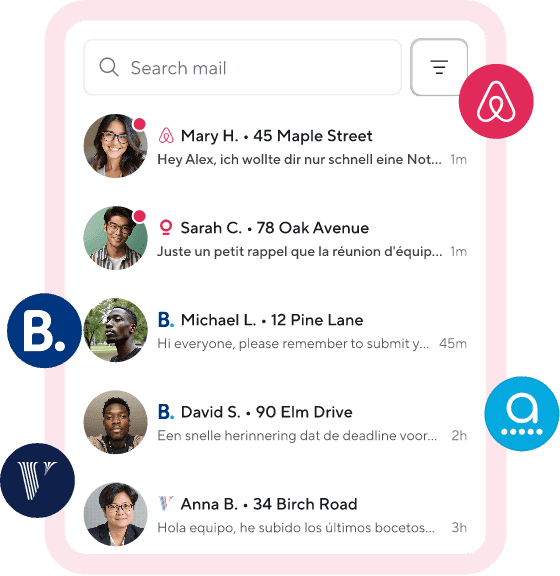
Then, you’ll be able to reach a wider audience, increase your occupancy rate, and earn more money. Of course, managing listings on several platforms requires more time and effort, but it’s easy with Hospitable. You’ll be able to manage all your accounts in one place.
Explore the Vrbo website
Browse the Vrbo website to get a better idea of how the platform works and what features are available for hosts. We recommend visiting the Help Center, where you can find answers to the most common questions and step-by-step guidance on how to use Vrbo.
There are lots of useful articles with tips for hosts and best practices as well as checklists that will help you get your vacation rental ready for guests. You may also want to check out some popular Vrbo listings and look for interesting ideas that will help you create your own listing and attract more travelers.
Create a listing for your rental space
You can list your property on Vrbo for free by clicking the List your property button in the upper right-hand corner of the Vrbo home page. On pay-per-booking, property owners will only be charged a small commission of 8% and applicable tax after they get a booking.
You will be prompted to provide basic details about your vacation home, including its size, location, amenities, etc. It’s important to optimize your listing for the type of travelers you want to attract:
Create a catchy title for your listing because it’s the first thing potential guests see in Vrbo search results
Write a detailed description to explain what makes your vacation home special and try to paint a picture of what it would be like to stay there
Publish perfect professional photos to highlight unique features of your house—ensure you upload all 24 photographs that each Vrbo listing allows.
With Hospitable's listing management, you can create and publish a new Vrbo Partner listing for your property directly from your Hospitable account in a few clicks if you have a listing for this property on Airbnb. Check out our help article for more details.
Set your pricing
You can charge whatever you want per night. We recommend researching the rates of similar properties in your area to stay competitive. But in general, the more bedrooms and bathrooms your rental space has, the more you can charge per night.
Vrbo hosts can add standard fees (extra guest fee, Vrbo cleaning fee, pet fee) and 14 custom fees to their nightly rate. It’s entirely up to you what fees you want to charge, if any.
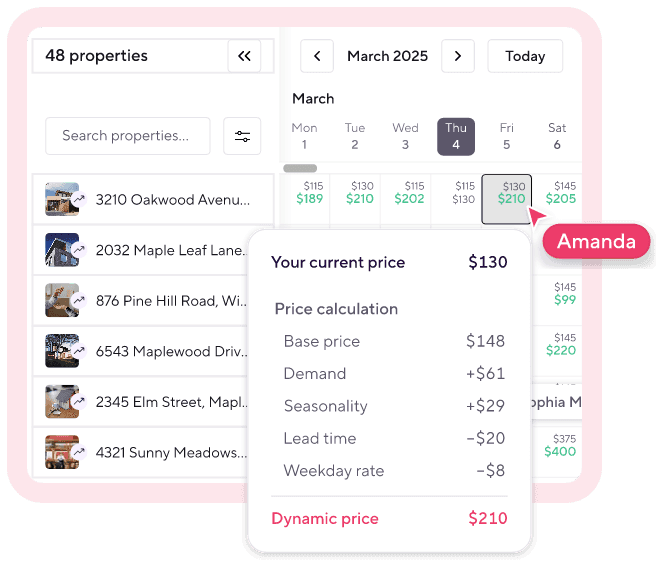
Vrbo offers hosts its own built-in dynamic pricing tool called Rate Automation, designed to provide data-based suggestions to help you price competitively. But Vrbo Rate Automation is platform-specific and only applies to Vrbo listings—it won’t push prices to other channels.
A better alternative is to take advantage of Hospitable’s built-in Dynamic Pricing solution, included in the Host, Professional, and Mogul subscription plans at no extra cost, saving you money on third-party pricing tools.
Once you enable this feature for your property, Hospitable’s Dynamic Pricing engine will adjust your rates automatically every 24 hours based on demand fluctuations, competition, seasonality, and your strategy to maximize your revenue and optimize occupancy. Hospitable will push the updated prices to your connected booking channels, including Airbnb, Vrbo, Booking.com, Agoda, and your Direct booking website.
Set your rules and policies
Establish Vrbo house rules and clearly communicate them in your listing. This way, you’ll help your guests understand your expectations and prevent common issues and misunderstandings.
Vrbo allows hosts to include details in six predefined fields about whether they’ll allow smoking, pets, children, and events, and to set the maximum number of guests allowed to sleep on the property, as well as minimum age requirements. You can also add up to three custom house rules unique to your rental property.
We also recommend adding a Vrbo welcome guide. Then you’ll make it easier for your guests to find important information, such as directions to the property, check-in and checkout instructions, instructions on how to use your appliances, etc.
Providing your guests with important information upfront can save time spent answering questions about your rental and help avoid unpleasant surprises during the guest’s stay.
How to Be a Vrbo Host: Set Your STR Business for Success
After your Vrbo listing is published, guests can request a reservation, and you’ll be able to welcome them in your vacation rental home. Making your guests happy is critical to becoming a successful host, so you should do your best to provide them with the perfect experience.
Invest in great décor and furnishings and create a welcoming outdoor space to make your home stand out. Offer travelers everything they need, from basic to modern amenities, and provide all the conveniences to make your guests feel at home. Maintain clear and prompt communication with your guests and reply to all their inquiries as fast as possible to make them feel welcome and cared for.
Then, you’re more likely to get more 5-star reviews, which will lead to a higher ranking of your listing. Your rental property will appear more often in travelers’ search results, so you’ll be able to get more bookings and earn more money.
Keep in mind that hosting on Vrbo requires more than creating an attractive listing—it’s about building trust, staying organized, ensuring smooth operations, and consistently delivering great experiences. Here is what you can do to manage your Vrbo rental effectively and set your business for success.
Automate guest communications
Quick and clear responses show guests they can rely on you and help build trust, but replying to every message manually can take up too much of your time. Luckily, all-in-one short-term rental software like Hospitable can help you address this challenge.
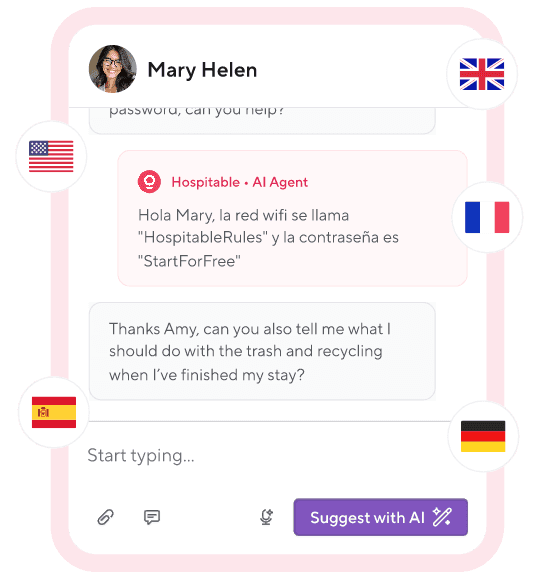
With Hospitable’s AI-powered automation tools, 90% of guest messaging runs on autopilot, helping you ensure fast, professional communication at different touchpoints in guests’ journeys.
You can use Inbox AI tools to quickly draft detailed, personalized responses to guest messages and polish what you’ve written when you message your guests manually.
You can upload your guidebooks to the Knowledge Hub to educate the AI about your property, and it will use this info to answer specific guest questions.
You can enable AI Auto Reply to let the AI automatically reply to guests’ inquiries without your review when you’re not online or even 24/7.
Our AI automatically scans all guest messages to identify potential issues or concerns in guest conversations, like noise complaints or broken locks, and will alert you when help is needed by highlighting urgent conversations.

Hire professional cleaners
Keeping your short-term rental clean is a must if you want to stay competitive since guests always comment on cleanliness in their reviews. Vacation rental turnover cleanings are more extensive than regular home cleaning, so they require significant time and energy.
That’s why it makes sense to outsource this important task to professional cleaners who are trained to do the job quickly and thoroughly. You’ll need to provide them with a Vrbo cleaning checklist so they know what steps to follow to get your rental in top shape.
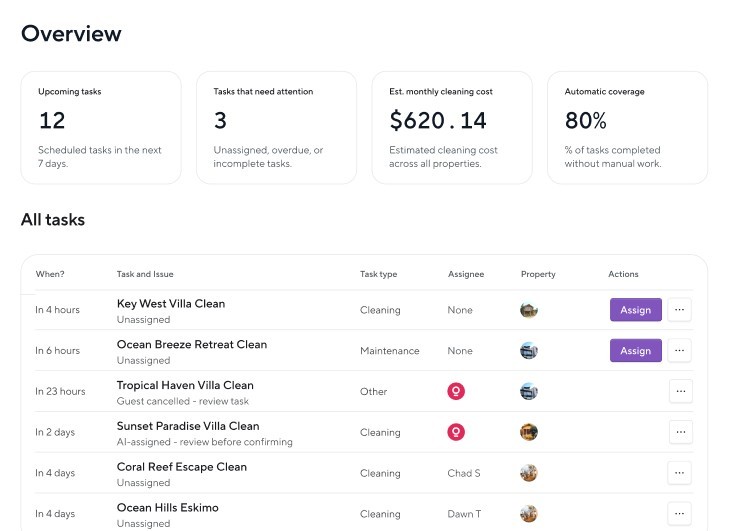
Coordinating cleanings will be easier if you automate the process using tools like Hospitable. You can set task rules, and Hospitable will assign tasks to your cleaners automatically for every booking. Your cleaners don’t have to download the app—we’ll send them reminders via email or SMS. Moreover, you can upload cleaning checklists, track the job progress, and pay your cleaners directly through the app.
You can also opt for automatic Marketplace Cleanings. Then, Hospitable will automatically create after-checkout cleaning tasks for future reservations and source cleaners for you through our partner's network.
Minimize the risk of dealing with troublesome guests
While most Vrbo guests will treat your home with respect, there’s always a risk of encountering guests who won’t follow your house rules and may cause damage to your property or disturb your neighbors. So you need to take measures to prevent such situations and protect yourself from the financial risk—screen your guests carefully and ask them to sign a Vrbo rental agreement that outlines your policies and guest behavior guidelines.
Implementing such measures won’t be a problem if you opt for Hospitable. You can create a templated agreement, and Hospitable will automatically populate it with guest and booking data to generate an STR agreement for each new reservation and add it to the Guest Portal as a registration task that your guest must complete before check-in.
You can also request that your guest complete ID verification as part of signing their rental agreement. Then your guest will be prompted to upload a photo of their ID and take a selfie. After verification, they will be able to review the contract and add their digital signature.

Ensure a seamless self-check-in
Today’s travelers expect convenience and flexibility when they book a stay with you and prefer the freedom of self-check-in that allows them to arrive on their schedule. Adding self-check-in to your Vrbo listing can help you attract more guests, so consider installing a smart lock to ensure a seamless and stress-free experience.
Hospitable integrates with many popular smart lock systems, making it easy for hosts to automate self-check-in. If you connect the supported smart locks to your Hospitable account, our system will sync them with bookings. Hospitable will automatically generate a unique access code for each reservation that only works during the guest’s stay and share it in a messaging flow at the right time.
Hospitable also integrates with smart thermostats, so you can connect the supported models to your Hospitable account and automate temperature control at your Vrbo property. This way, you can ensure comfort on arrival for every guest and minimize energy use when your rental is vacant to save on utility bills.
Unlike most PMS that treat smart devices as paid add-ons, Hospitable includes smart lock and thermostat management in the Professional and Mogul plans.
Increase revenue with upsells
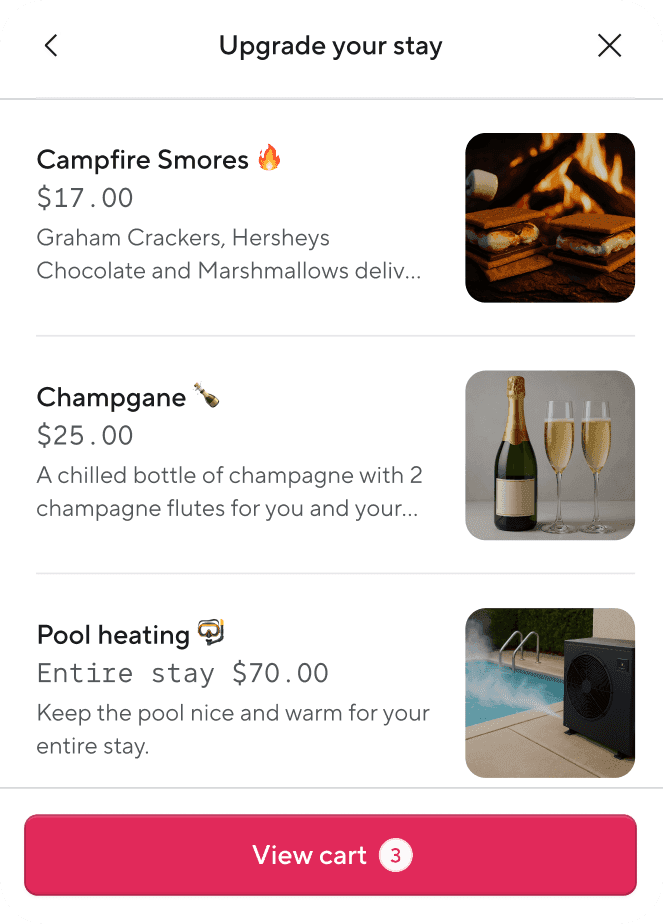
Offering your guests add-on services and amenities can help significantly enhance their stays and increase your revenue per booking. These offers can range from early check-ins, late checkouts, and gourmet welcome baskets to equipment rentals and unique local experiences that make your guests’ stays more enjoyable and memorable.
Hospitable can help you simplify the upselling process by allowing you to offer paid upsells to your guests in their guest portals without requiring any additional third-party software. Just create a catalog of your offerings and share the link to your guest portal with your guests. If your guests purchase anything, Hospitable will handle payments, payouts, and taxes.
Make hosting decisions based on data
If you want to attract more bookings and make more money with your Vrbo rental, it’s important to track your performance and rely on data to make smarter business-strategy decisions. The good news is that short-term rental property management software provides advanced tools that let you track key performance metrics and gain insights that can help you make informed hosting decisions.
For example, Hospitable makes it easy to monitor your properties' performance in real time using Metrics. It’s an advanced analytics system, designed to give hosts more flexibility and more control. You also get Copilot, your personal AI assistant that can help you access actionable insights, analyze performance, and manage operations more efficiently.
Copilot can help you understand what is working and what is not, and identify areas for improvement if you ask it simple conversational questions. You can ask Copilot to check occupancy rates, revenue, and booking trends; highlight common praises and complaints from guest reviews; get cancellation numbers and trends; review availability and pricing rules; and more.
Remember: if you want to succeed as a Vrbo host, you should treat your vacation rental business seriously and start using technology to your advantage. With automation software like Hospitable, you can minimize your workload and make your operations more efficient. Our tool lets you automate key aspects of your business and save a lot of time.
As a PMS, Hospitable has official integration with major OTAs. Our STR super app is Airbnb Preferred + Partner and has been officially recognized as a Booking.com Premier Plus Partner. Recently, Hospitable has launched a new Vrbo Partner Connection built on Vrbo’s latest API, with a higher integration quality for Hospitable users.
The new Vrbo Partner Connection is available to hosts on all subscription plans. If you connect your Vrbo account to Hospitable using the Vrbo Partner Connection, Hospitable can act as the Merchant of Record, processing guest payments and sending payouts directly to you.
Note: When you connect your listing to Vrbo through any API-connected property management automation software, Vrbo stops processing guest payments. Your PMS handles transactions, processing payments via your payment processor. You become the Merchant of Record, responsible for handling chargebacks, managing payment disputes, and remitting your Vrbo taxes.
Currently, Hospitable is the only PMS that can become the Merchant of Record for your Vrbo bookings, so you don’t have to take this role. Under Vrbo Partner Connection, Hospitable currently supports Merchant of Record services for properties located in the US, the UK, and Australia. Alternatively, you can use Stripe as your payment processor.
If you use Hospitable as the Merchant of Record, Hospitable processes guest payments, manages chargeback disputes, absorbs chargeback losses, and handles taxes in supported jurisdictions (all 50 US states, the UK, and Australia).
Use AI to automate workflows unique to your business
Hospitable offers a wealth of advanced features that allow you to automate 90% of repetitive daily tasks and save time. Hospitable is also the first PMS on the market to launch an MCP server feature.
Hospitable’s MCP server allows you to connect AI agents like Claude or ChatGPT directly to your Hospitable account, give them access to your operational and financial data, and let AI handle operations. Just tell the AI agent what you want it to do in plain English, and it will perform tasks according to your instructions. This way, you can build automations and AI-powered workflows that solve your unique hosting challenges and manage your business with simple prompts.
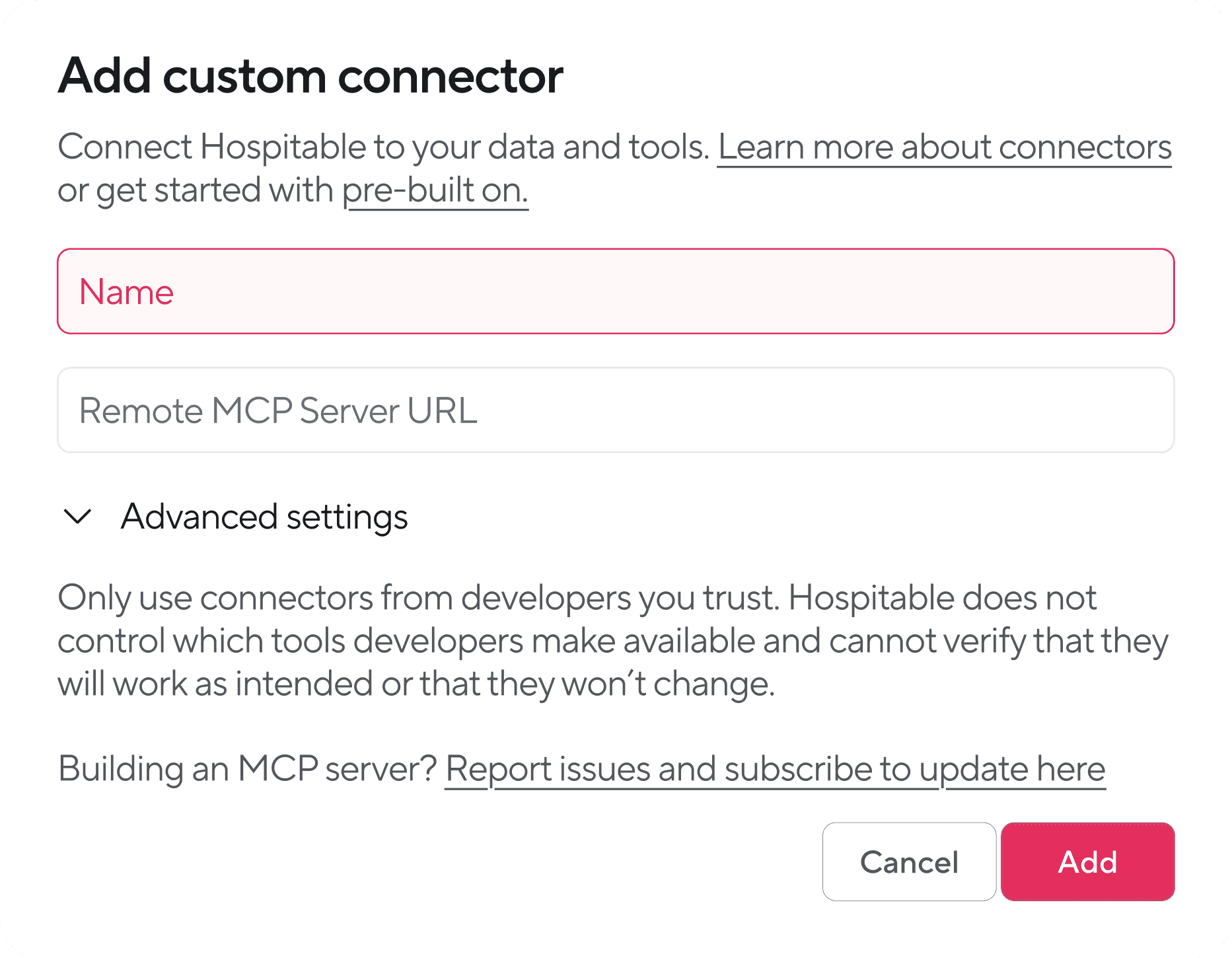
Hospitable users are already using the MCP server to build automated workflows tailored to their business and save time. Check out our guide on agentic automation for vacation rentals to learn more about innovative projects built with connected AI agents and the Hospitable MCP.
Final Thought
Vrbo is the perfect vacation rental marketplace that will connect you with travelers from your home country and abroad. Although running a vacation rental is hard work, the platform will give you access to insights, helpful resources, and useful tools that will enable you to save time and drive bookings.
We hope that our tips on how to become a Vrbo host will help you get started on this platform and grow a successful vacation rental business.



Table of contents
Common questions
How do you become a Vrbo host?
Start by confirming that short-term rentals are allowed in your location and obtaining any required permits or licenses. Then create a free Vrbo listing, add your property details, write an engaging title and description, upload high-quality photos, set your rates and fees, and establish clear house rules and policies. Once the listing is published, focus on fast communication, reliable cleaning, smooth check-in, and consistently positive guest experiences.
Is it free to list a property on Vrbo?
Yes, creating a property listing on Vrbo is free. Under the pay-per-booking model, hosts are charged after receiving a reservation rather than paying an upfront listing fee. The commission is 8% plus applicable taxes for each booking.
How should beginners price a Vrbo property?
Research comparable properties in your area and consider factors such as the number of bedrooms and bathrooms, local demand, seasonality, and competition. You can also add standard charges such as cleaning, pet, or extra-guest fees. Dynamic pricing is more effective than relying on fixed rates because it adjusts prices as market conditions change. Hospitable’s built-in Dynamic Pricing updates rates daily and pushes them across Vrbo, Airbnb, Booking.com, Agoda, and direct booking websites.
How can Vrbo hosts protect themselves from problem guests?
Set clear house rules, screen guests carefully, and require a rental agreement that explains your policies and expectations. Hospitable can automatically create an agreement for each reservation, populate it with the relevant guest and booking information, and add it to the Guest Portal for signature. Hosts can also require ID verification before guests sign the agreement and complete check-in requirements.
What tools do you need to manage a Vrbo property successfully?
A successful Vrbo operation benefits from tools for channel management, automated guest messaging, cleaning coordination, guest screening, rental agreements, smart-lock access, dynamic pricing, upsells, and performance analytics. Hospitable brings these functions together in one PMS, helping hosts automate repetitive tasks, manage listings across channels, and make decisions using real-time performance data. Its official Vrbo Partner Connection can also make Hospitable the Merchant of Record for eligible properties in the US, UK, and Australia.