OTAs
How to List on Vrbo and Make Your Listing Stand Out
With millions of vacation rentals available on different booking sites, the competition is intense, so how can you make your listing stand out and attract potential guests? If you are looking for tips on how to list on Vrbo, here you'll find step-by-step instructions. You'll also learn how to optimize your listing to rank higher in search results and attract your ideal guests.
Creating a Vrbo listing takes about 15 minutes. Getting it to actually show up in search results and convert into bookings takes a bit more thought. Here's a step-by-step walkthrough of the setup process, followed by the optimization moves that separate page-two listings from fully booked ones.
You may also want to check out our blog post to find answers to Vrbo FAQs to better understand how this vacation rental site works for property owners.
Why Should You List Your Property on Vrbo?
Vrbo is part of the Expedia Group, one of the world’s most trusted online travel brands. Vrbo primarily caters to families with children and groups of travelers looking for entire homes, so it’s an ideal platform for hosts with larger properties.
By listing your vacation home on Vrbo, you’ll show it to a massive audience searching for vacation rentals. Moreover, if you enable Instant Book, your listing will be displayed on other Expedia Group sites, such as Trivago, Expedia, Travelocity, and more.
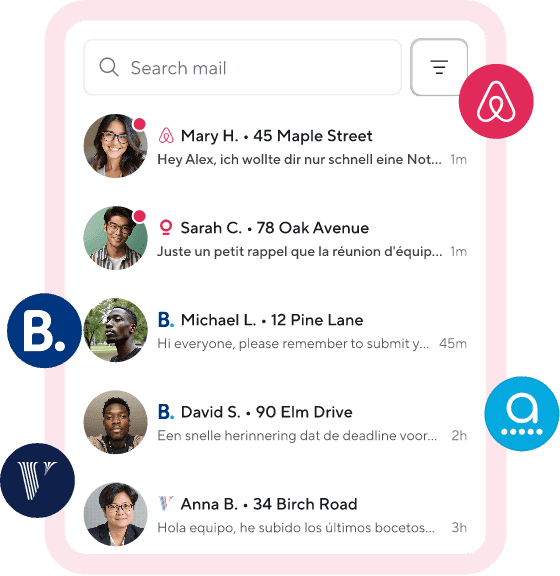
Listing your property on multiple platforms, including Vrbo, Airbnb, Booking.com, and Agoda, is an excellent strategy that will help you reach a wider audience and boost your business’s success. And if you opt for short-term rental software like Hospitable, you can manage all your listings efficiently from a single dashboard and avoid juggling multiple calendars.
Hospitable is Vrbo’s certified partner. The Vrbo Partner Connection uses Vrbo's official API and makes Hospitable the source of truth for your Vrbo listings. This means that you can manage listing content, availability, pricing, and messaging directly from Hospitable.
How to List on Vrbo: Step-by-Step Instructions
To list your vacation rental on Vrbo, you need to prepare the following information first:
An accurate address of your property
Basic details about your vacation home—size, type, number of bedrooms and bathrooms, etc.
At least six digital photos of your property
Your payment and banking details
Your rental rates, such as a nightly rate, cleaning fee, etc.
Create your account
Listing a vacation rental property on Vrbo is a straightforward process that can take only a few minutes. Visit the Vrbo website and select List Your Property at the top of the homepage. Enter your basic property details (the number of bedrooms and bathrooms, the property’s address) to see your property’s earning potential.
Then you’ll need to create the Owner account. Enter your first and last name, email address, phone number, and password. After creating the account, Vrbo will show your property’s earning potential based on similar places in your area.
Build your listing
You will need to confirm your identity again, and after that, you will enter an onboarding workflow to provide more detailed information about your property.
Add amenities. In the Attract travelers with amenities portion of the onboarding workflow, check the boxes for each amenity available at your vacation rental to show potential guests what you offer. In the Safety devices portion, check yes or no for whether you have a smoke detector or a carbon monoxide detector.
Provide details about rooms and spaces. Select your property type from the 30+ options provided in the dropdown menu. Confirm or update the number of bedrooms and bathrooms on your property and add details about amenities available in each room. Include information about other places where your guests can sleep.
Add photos. Upload from 6 to 50 high-resolution photos in landscape view to showcase your place to travelers. Make sure your photos comply with the Vrbo guidelines (minimum quality resolution of 1024 x 683 pixels, maximum file size of 20 MB).
Add your listing headline. It should be 80 characters or less and should accurately portray your vacation rental while attracting travelers. US-based hosts can use the Vrbo AI tool to generate a good headline for their property.
Create a description. It should be from 400 to 10,000 characters. Include details about amenities, sleeping spaces, and any outdoor features to help guests imagine what a stay might be like at your Vrbo rental. You can also use Vrbo’s generative AI tool to help you write your property’s description. This AI tool is available for hosts in the US.
Set your house rules. Your guests will be required to review your Vrbo house rules and agree to follow them before they book. Specify the maximum number of guests and minimum age requirements. Decide whether you allow events, pets, children, and smoking. If you allow parties, you can select the type of event and the maximum number of visitors. If you allow pets, you can set the type and number of pets your guests can bring.
Set your prices. Input the location of your bank. Set how much you’d like to charge per night. Select whether you want to enable Vrbo’s Pricing tool Rate Automation. It is currently available in the US, the UK, France, Germany, Spain, Australia, New Zealand, and Canada.
Promote your listing. Vrbo offers promotions (New Listing Discount, Last Minute Promotion, and Early Bird) to help new hosts attract travelers. These promotions are automatically applied to new listings. If you do not want these suggested promotions to apply to your Vrbo listing, you can opt out.
Set standard fees. When you build a Vrbo listing, you can add a cleaning fee and a pet fee. Once your listing is complete, you can add up to six custom fees specific to your property, choosing from available custom fee options (air conditioning, hot tub, internet, laundry, etc.)
Specify booking options. Set policies for your vacation rental, including the time when guests can check in and out, the minimum and maximum nights they can book, and how many days or months before check-in you’ll allow bookings.
Comply with local laws. Add any information needed to comply with local laws or regulations in the jurisdiction where your vacation rental property is located. For example, some properties may be required to have a property registration number. You also need to select whether you are a professional or private host.
Select how you collect taxes on your property. Remember that you need to follow all local rules, regulations, and tax requirements. Depending on what you choose, you’ll be prompted to input how much tax you want to collect per person or per booking. Note that Hospitable may handle tax remittance when assigned a Merchant of Record role.
Publish your listing. Review your booking settings and add all the necessary information. When you’re ready for travelers to book, select Go live to push your property live on the Vrbo marketplace.
How to create a new Vrbo listing on Hospitable
With Hospitable listing management, you can create and publish a new Vrbo Partner listing for your property directly from your Hospitable account. If you have a listing for your property on Airbnb, have received at least 3 reviews on any other booking platform, and have a Vrbo Partner account connected to Hospitable, you don’t need to set up everything manually on Vrbo. Hospitable will automatically transfer your listing details.
Before you start the creation process, make sure that your Airbnb property has a valid address set, at least 6 photos uploaded, and amenities configured. Follow these steps to create a new Vrbo listing from Hospitable.
Go to Properties in your Hospitable account, select the property you want to list on Vrbo, and click Continue next to “Create a new Vrbo listing”.
Select the Vrbo account where you want to create the listing and click Continue.
Set your Vrbo listing name—it must be between 20 and 80 characters long.
Write a description for your Vrbo listing—it must be at least 400 characters long. Highlight your unique features, describe the location, and explain what guests can expect while staying at your property.
Choose a cancellation policy for your Vrbo listing from the available options.
Choose whether or not you want to enable a 20% “New listing” promotion—it can help you get bookings faster on your new listing and applies to the first three bookings.
Choose whether you want your listing to go live immediately (it will be published right away) or save it for later (you can publish it when you are ready).
Vrbo Listing: Optimization Tips
It may take between 24 and 48 hours for a new Vrbo listing to become visible in search after it has been published, so you’ll have time to adjust your policies and make some improvements to your dashboard. And remember that simply creating a Vrbo listing isn’t enough to guarantee your success on the platform. You should also optimize your listing to increase its visibility and attract more guests. Follow these tips.
Create a catchy title that highlights your property’s strengths because it’s the first thing travelers see in the search results. Make sure your headline is unique, and use descriptive words to highlight your property’s best features and encourage potential guests to click on your listing. Be specific and focus on your unique selling point.
Write an enticing description to explain what makes your vacation home a great place to stay. Focus on your property’s amenities and highlight how they will make your guests’ stay more enjoyable. Mention the ambiance, nearby attractions, and any unique features like a game room or an outdoor dining area. Try to paint a picture of what kind of experience your guests can have, not just list your property’s features. Review the examples for inspiration.
Upload perfect photos of every room of your property and the outdoor area to give potential guests an idea of the size of your vacation home and what it offers. Include lots of images to help guests visualize themselves in your space. Take photos in natural light and highlight the unique features of your rental space and the charming details that add to your home’s appeal. You may also include photos of the surrounding area and local attractions. Follow the best practices for vacation rental photography.
Respond quickly to all messages from travelers and be professional because the response time is one of the main factors affecting your listing quality score. If you respond to guest inquiries quickly, you’ll keep them interested in your property and show that you’re an attentive host. It’s also crucial to ensure clear communication throughout the guest journey to make them happy with their stay. Then they will be more likely to leave you positive reviews and book your listing again.
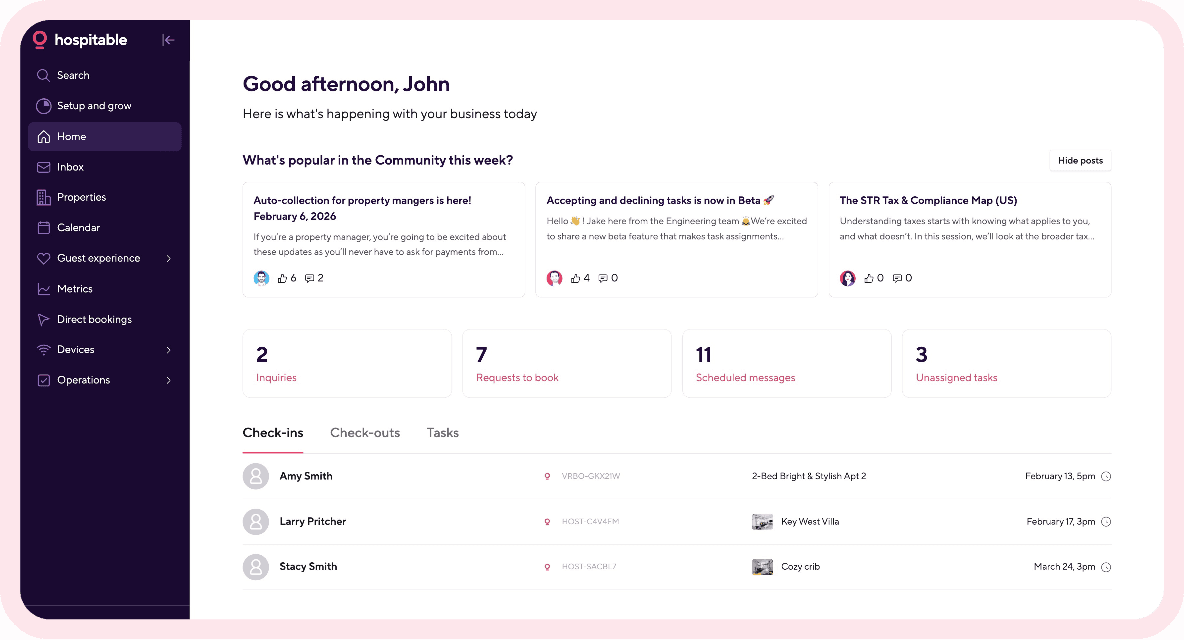
Using short-term rental software like Hospitable makes it easier to communicate with your guests effectively—you’ll be able to automate guest communication with the help of AI. Moreover, with Hospitable, you can automate most of your hosting routine and minimize workload. Our STR super app will help you streamline operations, saving you time to focus on delivering a top-notch guest experience.
Collect 5-star reviews. Excellent reviews left by past guests are powerful social proof. They can influence travelers’ decisions to book your property when searching for a place to stay. Listings with high ratings also appear higher in search results. So, do your best to ensure a memorable experience for your guests, and always ask each guest to review their stay at your vacation rental home.
Set competitive pricing. Don’t adjust rates manually. Implement dynamic pricing to automatically adjust your rates in real time based on market conditions, ensuring your prices are high enough to maximize profit and low enough to stay competitive. If you opt for Hospitable, you’ll be able to take advantage of our built-in Dynamic Pricing, included on Host, Professional, and Mogul plans at no extra cost, saving you money on third-party pricing tools.
Keep your calendar updated to ensure that it always reflects upcoming bookings. That’s particularly important if you list your property on multiple OTAs. The easiest way to keep your calendars in sync is to use vacation rental software like Hospitable. This way, you’ll avoid double bookings, cancellations, and bad reviews—they hurt your ranking in search results.
Final Thought
Listing your vacation rental property on multiple online booking websites will help you reach a wider audience and build a successful STR business. Vrbo gives you a huge platform to showcase your vacation rental property. Hopefully, our tips will help you create a perfect Vrbo listing and compete with other hosts on this platform on equal terms.
You may want to check out our article to find more Vrbo tips for vacation rental owners.



Table of contents
Common questions
How do you list a property on Vrbo?
Create a Vrbo owner account, enter your property details, add amenities and safety information, upload photos, write a headline and description, set house rules, pricing, fees, booking policies, and tax settings, then publish the listing. Vrbo requires at least six photos, and the listing description must be between 400 and 10,000 characters.
What do you need to create a Vrbo listing?
You need the property’s accurate address, basic details such as property type, size, bedrooms and bathrooms, at least six digital photos, payment and banking information, and your rental rates and fees. You’ll also need to provide amenities, safety devices, house rules, booking policies, tax information, and any registration details required by local law.
Can you copy a listing from Airbnb to Vrbo?
Yes. With Hospitable Listing Management, you can create a new Vrbo Partner listing from an existing Airbnb property instead of rebuilding it manually. Hospitable can transfer the listing details if the Airbnb property has a valid address, at least six photos, configured amenities, at least three reviews on any booking platform, and a Vrbo Partner account connected to Hospitable.