Trusted by
26,000+
hosts
Vrbo channel manager for vacation rentals
Manage your Vrbo listings, reservations, rates, availability and guest communication from one simple place.
" height="61.9552000915528px" id="SyFrvPFEL" transform="translate(0 0)" width="32.43279942001571px"/><path d="M 9.704 0 L 3.772 0 C 2.056 0.878 -1.151 3.621 0.422 11.765 L 6.963 44.754 L 8.608 41.279 L 2.912 11.765 C 1.796 4.694 3.324 1.411 9.704 0 Z M 21.682 4.997 C 21.586 2.853 20.962 1.257 19.698 0 L 14.8 0 C 17.174 0.962 18.712 2.483 19.438 4.978 C 20.436 8.408 19.9 13.678 17.896 21.866 L 18.06 22.025 C 20.45 14.01 21.848 8.69 21.682 4.997 Z" fill="rgb(15, 81, 234)" height="44.754400091552725px" id="UIlB3oGC4" transform="translate(27.083 0)" width="21.695329583444597px"/><path d="M 10.378 0 L 5.362 0 C 5.544 1.636 5.478 3.324 5.189 5.182 C 4.525 9.464 2.682 14.645 0 22.16 L 0.16 22.315 C 4.078 12.946 6.601 6.925 7.845 4.448 C 8.314 3.512 9.158 1.81 10.378 0 Z M 14.867 0 C 12.733 1.307 10.923 3.106 9.054 5.802 C 6.549 9.416 3.938 14.64 0.297 22.446 L 0.448 22.592 L 0.448 22.597 C 4.41 15.05 7.481 10.039 10.852 6.546 C 13.895 3.394 17.59 1.218 21.905 0 Z" fill="rgb(15, 81, 234)" height="22.596800091552723px" id="eFJe_jjyN" transform="translate(45.282 0)" width="21.904801984310097px"/></g></svg>)


Spend less time inside Vrbo
Hospitable pulls the parts of Vrbo you touch daily into one place and automates the repetitive work around them.
Reservations
New Vrbo bookings land in Hospitable with guest details attached, and trigger your cleaning and maintenance tasks without you forwarding anything.
Rates and availability
Set nightly rates, stay rules and fees in Hospitable, or let dynamic pricing adjust them for you, and push everything straight to Vrbo.
Guest messages
Reply from one inbox, where AI drafts answers in your own tone and scheduled messages fire at every stage of the stay automatically.
Listing management
Manage your property details, description, photos, amenities, listing status, and other supported content without editing everything separately on Vrbo.
Booking settings
Choose between Instant Book and Request to Book, manage cancellation policies, and control how guests can book your property.
Your Vrbo calendar, always accurate
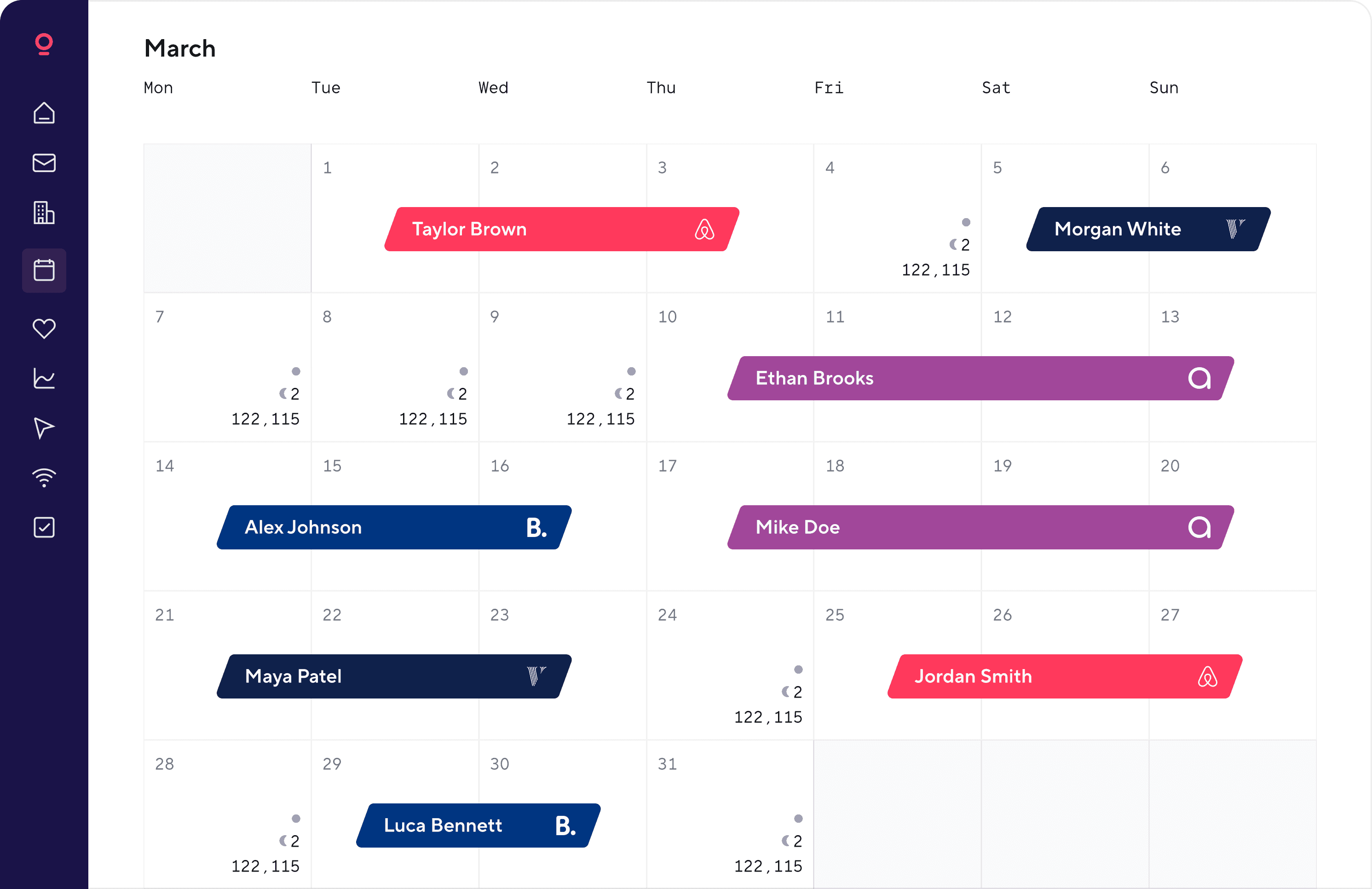
Bookings from Airbnb, Booking.com, Agoda, or your own site block those dates on Vrbo automatically, so your Vrbo calendar is never out of sync.



With seven properties and nine listings, Hospitable has been a lifesaver for me. Love the automated messaging and the ability to manage a single calendar site for my direct bookings, Airbnb bookings, and VRBO bookings.
Hospitable also offers great customer support and continuous training seminars. It has literally saved me hundreds of hours this year. Highly recommend.

How it works
Connecting Vrbo to Hospitable takes about ten minutes: enable two-factor authentication on Vrbo, authorise the connection, match your listings to properties, turn on sync.
Connect your Vrbo account
Sign in with your existing Vrbo account and connect it to Hospitable through the official Partner Connection.

Bring in your listings
Hospitable imports your existing Vrbo properties and setup, so you can keep working with the listings you’ve already built.

Set up your workflows
Configure pricing, availability, messaging, booking rules, tasks, and the other parts of your operation you want Hospitable to handle.

Manage Vrbo from Hospitable
Keep your calendar, listings, reservations, messages, and everyday workflows together in one place.

Go beyond just Vrbo
Make more out of each property by listing in more places, without multiplying the work behind every reservation.
Advantages of connecting Vrbo through the API instead of iCal
Hospitable connects through Vrbo's official Partner Connection, so you can manage much more than blocked and available dates.
Sync direction
Update speed
Availability
Reservations
Nightly rates
Length-of-stay rules
Listing content
Guest messages
Reviews
Both ways
Near real-time
One way
Scheduled refresh
Common questions
What is a Vrbo channel manager?
A Vrbo channel manager is software that connects a Vrbo account to the other sites a property is listed on, keeping rates, availability and reservations identical across all of them.
More complete tools like Hospitable also bring guest messaging, automation and listing management into the same workflow, so the whole operation runs from one place rather than from your Vrbo account.
Do I need a channel manager for Vrbo?
Not always. If you run one property on Vrbo alone and you're happy managing it there, you probably don't need one yet.
A channel manager earns its place once you manage several listings, repeat the same messages every week, coordinate a cleaning team, or list the same property on more than one booking site.
Is Hospitable an official Vrbo channel manager?
Yes. Hospitable connects through Vrbo's official Partner Connection, which Vrbo recognises as a certified integration.
That connection carries far more than calendar availability: guest messages, listing content, nightly rates, stay rules and booking requests all move through it.
Is there a free Vrbo channel manager?
Yes. Hospitable's Essentials plan costs nothing and includes real channel management. You get calendar sync, unlimited properties, a unified inbox, and automated messaging.
Paid plans unlock more advanced automation, pricing, team, and operational features, plus enhanced support. You can try them free for 14 days with no credit card required.
How do I prevent double bookings across Vrbo and other channels?
Keep one system as the source of truth for availability. Hospitable syncs reservations between connected listings, so a booking on one channel blocks those dates on the others without you blocking anything by hand.
No channel manager can make a double booking impossible, but automated syncing cuts the risk substantially compared with managing calendars manually.
What happens to my Vrbo calendar once it's connected?
Vrbo hands calendar control to your connected software, so you'll manage availability and rates in Hospitable rather than in your Vrbo account.
Existing reservations carry across and continue as normal. This is how Vrbo's Partner Connection is designed to work, and it's what keeps the sync reliable.
How do I disconnect Hospitable from Vrbo?
Contact Vrbo support and ask them to decommission the connection. Because Vrbo treats the Partner Connection as an official integration, only Vrbo can end it. It can’t be removed from the Hospitable side.
What's the difference between iCal sync and a Vrbo channel manager?
An iCal connection moves calendar availability and nothing else, in one direction, on a refresh schedule. Hospitable connects through Vrbo's official Partner Connection, which carries reservations, messages, nightly rates, listing content and stay rules, and updates in both directions.
4.8/5
across 550+ reviews
Join 26,000+ hosts automating their Vrbo workflows
Manage reservations, pricing, availability, guest messages, and your everyday Vrbo hosting workflows from one place. Try Hospitable free for 14 days or use our free plan.