OTAs
Vrbo Refund Policy: What You Need to Know as a Host
Travelers who book their stay on Vrbo intend to complete it most of the time. But sometimes, they may have to cancel their trip, for example, due to personal reasons, emergencies, and other factors. In this article, we'll discuss everything you need to know about Vrbo refund policy from a host's perspective.

Travelers who book their stay on Vrbo intend to complete it most of the time. But sometimes, they may have to cancel their trip, for example, due to personal reasons, emergencies, and other factors.
That’s why determining a transparent and fair Vrbo cancellation policy that will protect your interests when guests unexpectedly cancel their stay is very important for all hosts. It will also give travelers concerned about wasted money on their bookings all the necessary information about refunds, allowing them to book confidently.
In this article, we’ll discuss everything you need to know about the Vrbo refund policy from a host’s perspective.
If you are new to Vrbo, you may want to check out our blog post, where you can find helpful information and answers to the Vrbo FAQ.
Vrbo Refund Policy
Guests can cancel their booking through their traveler’s account and get a refund automatically based on the cancellation policy that the Vrbo host has chosen for their property. If you have a pay-per-booking pricing model for your listing, you’ll be charged a Vrbo fee only on the payment amount you kept.
You can offer no refunds for any reason or timeframe, but remember that listings with flexible cancellation options are more popular among potential guests. So it’s always better to find a middle ground to benefit you and your guests.
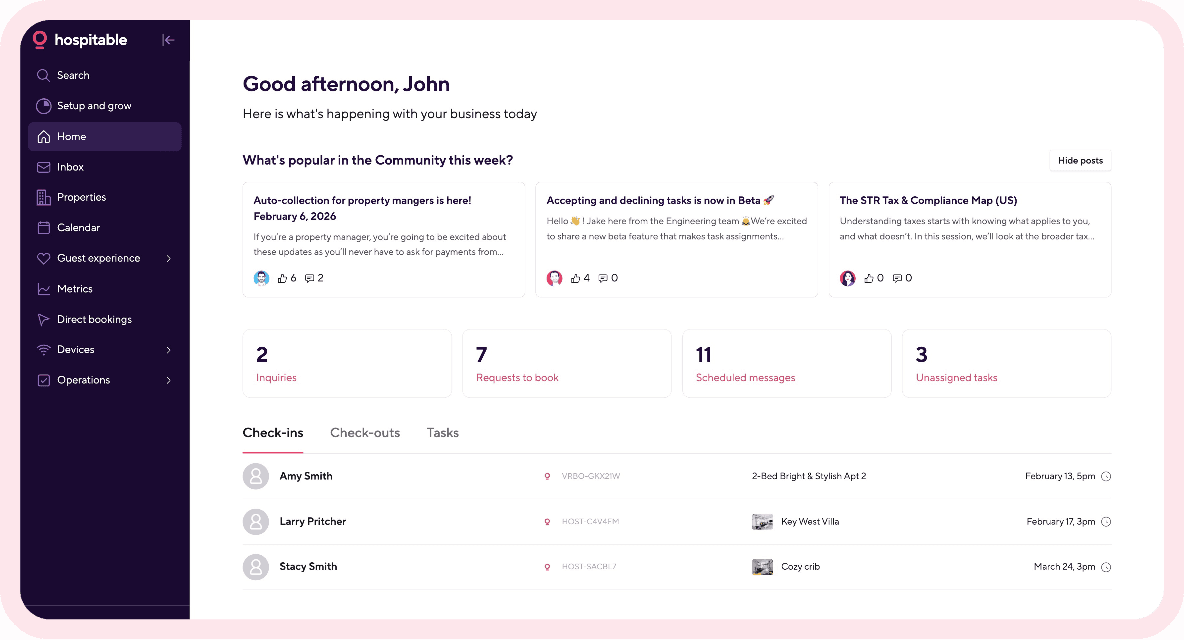
Then you’ll be able to attract more travelers and get more bookings. And if you opt for short-term rental software like Hospitable, you’ll be able to automate your routine operations and have more time to focus on scaling your STR business.
You can also override the cancellation policy and refund some of your guests a custom amount. If you decide to refund more than your cancellation policy allows, you can process the refund in your Reservation Manager.
You can process refunds as an owner through the Vrbo dashboard. Let’s look at the different situations in which you may have to process cancellations and refunds for bookings on your vacation rental property.
Approve a traveler’s cancellation request.
When a guest who has booked a stay requests a cancellation, here is what you must do to confirm it.
Log in to your Vrbo owner account, then click the listing the guest wants to cancel.
Go to the Inbox and filter your conversations in the All Messages drop-down menu.
Select the guest’s name and click on Confirm cancellation to cancel the reservation.
Cancel a guest’s reservation
You may need to do it occasionally, but remember that if your specific situation doesn’t qualify for a cancellation waiver, it can negatively affect your ranking metrics. Here is how you can cancel a guest reservation as an owner.
Login into your account and select a listing where you want to cancel a reservation.
Select Inbox and then Filters to filter your conversations.
Select the guest’s name and then choose Cancel reservation.
Choose the reason for cancellation in the drop-down menu, include a message to the guest explaining why the booking is being canceled, and review the refund amount.
Finally, select Confirm to process the refund.
Remember that, according to Vrbo's refund policy, full refunds are required for all cancellations initiated by hosts, except in cases of natural disasters, violations of house rules, or overdue payments.
Refund a guest without canceling the reservation
Such situations most commonly happen when guests cancel their stay after checking in. The reason is that Vrbo doesn’t allow guests to cancel a booking themselves after check-in, and if you cancel the reservation for them, it could negatively affect your metrics.
You may also want to refund your guest without canceling to compensate for such issues as broken air conditioning in your rental property or a natural disaster during their stay. You can send a refund without canceling a reservation from your Vrbo account. Filter the conversations in your Inbox to select the guest’s name and click on Send Refund in the Payment Schedule section. Then enter the refund amount and select Continue. Finally, click on Send Refund.
If you refund a guest without canceling a booking, the reservation officially stays active, and Vrbo guests can still leave reviews essential for your success. Authentic reviews from travelers serve as social proof for potential guests and influence their decision-making. Check out our blog article to learn how Vrbo guest reviews work and how to manage them as a host.
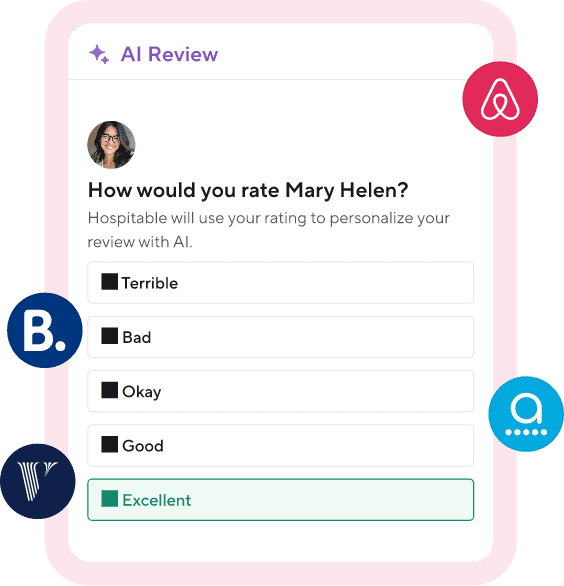
Pro tip: You can get more 5-star reviews by delivering an amazing experience for your guests and automating your review management with Hospitable.
Vrbo Deposit Refund
Vrbo guests can have refunds for payments and fees for several reasons, and each type of refund has its own rules and conditions. For example, if a guest paid an upfront refundable damage deposit at the time of booking, it is automatically refunded to them at the end of their stay.
But Vrbo will hold the refundable damage deposit for 7 or 14 days after check-out, depending on the option you’ve selected for your listing. And if you report damage to your property that occurred during the stay, the guest might not receive their Vrbo deposit refund in full.
Vrbo Service Fee Refund
If a guest cancels their reservation and is within the window to get a 100% refund, Vrbo will return the service fee to them automatically when the cancellation is confirmed. It usually takes up to 5 days for a Vrbo service fee refund to appear in a guest’s account.
When the traveler receives a 100% refund, Vrbo returns the commission and payment processing fees on the booking. But when it comes to partial refunds for canceled reservations, booking and service fees are not refunded. The payment processing fee is reversed for the amount refunded to the guest and is charged only on the funds retained.
How refunds work for Vrbo Partner reservations with Hospitable
As a PMS, Hospitable offers an official API-based integration with Vrbo, available to hosts on all subscription plans. If you connect your Vrbo account to Hospitable using the Vrbo Partner Connection, Hospitable will become the source of truth for your Vrbo listings and can act as the Merchant of Record, processing guest payments and sending payouts directly to you.
Note: When you connect your listing to Vrbo through any API-connected property management system, Vrbo stops processing guest payments and doesn’t provide Merchant of Record services. Your PMS handles transactions, and you become the Merchant of Record, responsible for chargebacks, payment disputes, and tax remittances.
Hospitable is different—currently, it’s the only PMS that can become the Merchant of Record for your Vrbo bookings.
Under Vrbo Partner Connection, Hospitable currently supports Merchant of Record services for properties located in the US, the UK, and Australia. Alternatively, you can use Stripe as your payment processor.
When Hospitable acts as Merchant of Record, it processes guest payments, sends payouts, manages chargeback disputes, absorbs chargeback losses from unsuccessful disputes relating to fraud and other covered cases, and collects and remits taxes in supported jurisdictions (all 50 US states, the UK, and Australia).
When you use Stripe, guest payments are processed through your Stripe account, and Stripe sends payouts directly to your connected bank account. You remain responsible for chargebacks and any resulting financial losses as well as collecting and remitting your taxes.
So, how are refunds and cancellations for Vrbo Partner Reservations handled? It depends on your Merchant of Record setup and the specific circumstances of the reservation.
Refunds follow the cancellation policy assigned to the listing at the time of booking—it determines whether a guest will receive a full refund, a partial refund, or no refund.
Any approved refund is returned to the guest’s original payment method.
If the reservation qualifies for free cancellation under your Vrbo property’s cancellation policy, the cancellation and refund are processed automatically.
After a refund is issued, the guest receives confirmation of the refund.
In some situations, a refund may be issued after the reservation payout has already been sent. When it happens, and the account you linked for payouts has a balance, the guest will still receive the approved refund.
With Hospitable, as your Merchant of Record, refunds issued after the payout may be recovered from future payouts and reflected in your payout records. And if you use Stripe, you are responsible for maintaining sufficient funds in your Stripe account to support refunds, disputes, and payment adjustments.
Learn more about how refunds and cancellations are handled for Vrbo Partner reservations in our help article.
How to Avoid Vrbo Refund Problems
Although Vrbo clearly states its refund policy, the company can’t tell property owners what to do. Vrbo encourages hosts to set flexible cancellation policies and refund travelers if they have to cancel their upcoming stays for any reason.
But a guest can only submit a cancellation request, and the property owner must confirm it and initiate the refund. So, to avoid Vrbo refund problems, hosts must have a foolproof cancellation policy, and guests must review it to be fully aware of what they are signing up for when booking.



Table of contents
Common questions
How does the Vrbo refund policy work?
Vrbo refunds are generally based on the cancellation policy the host selected for the property. When a guest cancels within the allowed window, the refund amount is calculated according to the policy that applied at the time of booking. Depending on the terms, the guest may receive a full, partial, or no refund. Hosts can also override their cancellation policy and issue a custom refund if they want to return more than the policy requires. For pay-per-booking listings, Vrbo charges its fee only on the amount the host ultimately keeps.
What happens if a Vrbo host cancels a reservation?
When a host cancels a Vrbo reservation, the guest generally must receive a full refund. Exceptions may apply in specific situations, such as natural disasters, house rule violations, or overdue payments. Host-initiated cancellations can also negatively affect a listing's ranking metrics unless the situation qualifies for a cancellation waiver. That's why hosts should avoid canceling confirmed reservations unless necessary and clearly explain the reason to the guest.
Can you refund a Vrbo guest without canceling the reservation?
Yes. Vrbo hosts can send a refund without canceling the reservation, for example, to compensate a guest for a broken air conditioner or another issue during their stay. This can also be useful when a guest wants to leave early after check-in, since guests can't cancel the booking themselves once the stay has started. The reservation remains active after the refund, so it doesn't count as a host cancellation, and the guest can still leave a review.
Who processes Vrbo refunds when you connect a PMS?
It depends on your Merchant of Record setup. When you connect Vrbo through an API-connected PMS, Vrbo stops processing guest payments. With most PMSs, you become the Merchant of Record, and refunds are handled through your payment processor. Hospitable is currently the only PMS that can act as the Merchant of Record for eligible Vrbo properties. When Hospitable is the Merchant of Record, it processes guest payments and approved refunds, manages chargeback disputes, and handles supported tax collection and remittance.
What happens if you refund a Vrbo guest after receiving the payout?
A guest can still receive an approved refund after the reservation payout has already been sent. What happens on the host's side depends on who acts as the Merchant of Record and processes the payments. When Hospitable is the Merchant of Record, the refunded amount may be recovered from future payouts and reflected in your payout records. If you use Stripe and remain the Merchant of Record, you are responsible for maintaining sufficient funds in your Stripe account to cover refunds, disputes, and other payment adjustments.