OTAs
Airbnb Travel Insurance: a Host’s View
Airbnb travel insurance: find out what it covers and how you can earn commission offering trip insurance to your guests.

Traveling is one of the most rewarding experiences a person can have, but sometimes things don’t go as expected. People can get sick or injured, flights can get canceled, and bags can be damaged or go missing. This is where travel insurance steps in, providing essential protection against unforeseen risks.
To help protect guests financially, Airbnb offers travel insurance that travelers can purchase while completing their booking. So what does the Airbnb travel insurance cover, and what are the alternatives?
Airbnb Travel Insurance: What Does It Cover?
Airbnb guests in certain parts of the world, including the US, the UK, some countries in the European Union, Australia, and certain Provinces in Canada, can add travel insurance to their reservation on the checkout page. Airbnb travel insurance covers nonrefundable expenses tied to their Airbnb reservation if their trip is canceled or interrupted for covered reasons.
The Airbnb travel insurance plan includes:
Coverage for nonrefundable Airbnb reservation costs due to trip cancellations or interruptions;
Travel delay reimbursement that covers additional lodging and meal expenses for covered reasons;
Coverage for medical expenses and emergency medical evacuation, transportation to a hospital or home;
Lost or damaged luggage coverage.
What exactly is covered by Airbnb travel insurance depends on the traveler's country of residence. So travelers should check the Airbnb website to find travel insurance policy details for each country, including coverage areas and key exclusions.
Airbnb Trip Insurance: What Is the Alternative?
Airbnb insurance is tailored for travelers who book through Airbnb and primarily covers risks related to their Airbnb reservation. Airbnb offers travel insurance as an add-on purchase, but it’s not the only option for guests. They may skip Airbnb's coverage and consider third-party trip insurance plans that might be a better fit.
Hosts and property managers who use Hospitable to automate their property management tasks and save time can offer trip insurance to their guests as an automated upsell, earning a commission each time it's sold.
Vacation Rental Travel Insurance: How It Works with Hospitable
Trip Insurance is an automatically enabled upsell that helps guests safeguard their reservation against financial loss from unexpected events and travel-related emergencies. Currently, the trip insurance upsell is available only for US properties, and guests can purchase it after they book a stay with you.
Hospitable partners with RentalGuardian to offer guests two types of vacation rental travel insurance:
Standard Trip Protection, which costs 7.5% of the booking total
Cancel For Any Reason (CFAR), which costs 11.25% of the booking total and offers broader cancellation flexibility.
Coverage varies by policy, and guests always see full policy details before making their purchase. Typically, standard trip insurance covers:
Trip cancellation—coverage for non-refundable trip costs if guests need to cancel their booking due to the covered reasons, such as illness, injury, death of a family member, natural disaster, or other unforeseen events.
Trip interruption—reimbursement for unused trip costs and additional transportation expenses if your guest’s trip is cut short due to covered reasons.
Travel delay—coverage for additional accommodation and meal expenses if your guest’s trip is delayed for a covered reason for more than the specified time period.
Emergency medical & dental—coverage for emergency medical and dental expenses incurred during your guest’s trip, including emergency medical evacuation if needed.
Baggage & personal effects—reimbursement for lost, stolen, or damaged baggage and personal belongings during your guest’s trip.
This is how Trip Insurance upsell works in Hospitable:
Our system automatically creates and enables the Trip Insurance upsell for all eligible properties.
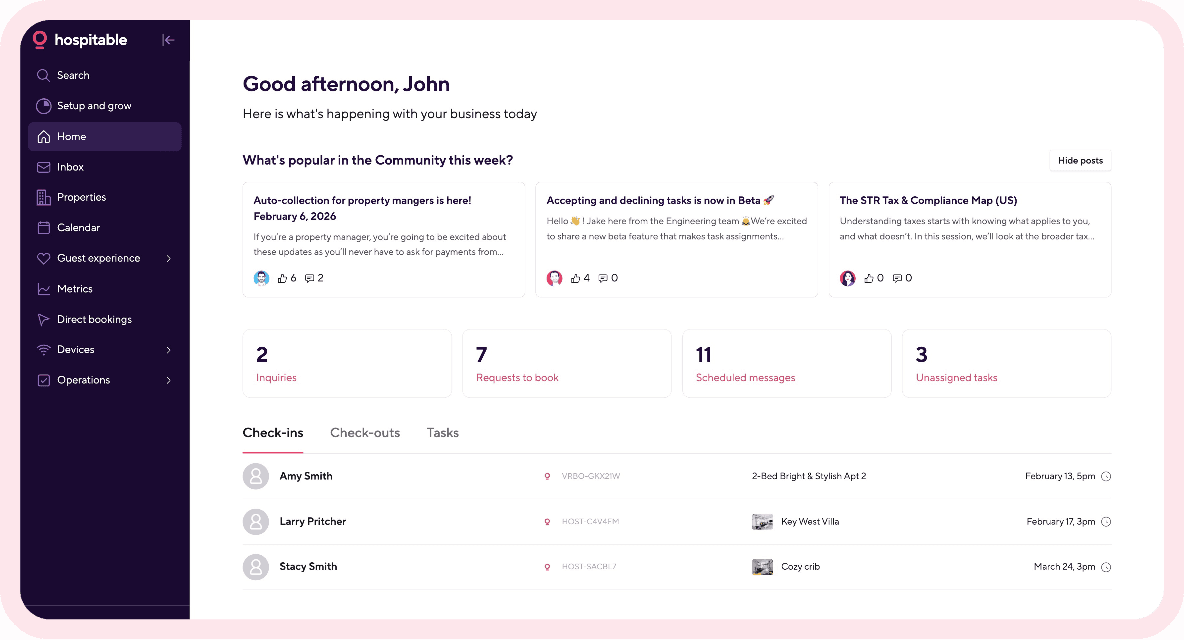
Hosts can verify if Trip Insurance is enabled for their properties in the Guest Experience section under Upsells (you can also toggle it off anytime).
Guests may be offered Trip Insurance in their guest portal when they are completing their check-in tasks: at the end of the check-in form, rental agreement, security deposit, or ID verification process. If you don’t use check-in tasks, guests will see Trip Insurance as a standalone tile in the guest portal.
Guests decide to opt in or opt out.
If guests purchase Trip Insurance, coverage is issued automatically via RentalGuardian, our trusted partner.
You receive commission for each policy sold to your guests. The commission is paid out to your verified bank account the day after check-in for that reservation.
Offering Your Guests Trip Insurance Upsell: Best Practices
With Hospitable, guests can purchase Trip Insurance inside the Guest Portal. But if you never direct your guests there, they will have no opportunity to learn about this option and make a purchase. So here is what you can do to enhance the guest experience and maximize your revenue potential.
Always send your guests a link to their guest portal. Use the %guest_portal% shortcode in your thank-you message, confirming their reservation, and in the message that includes check-in instructions. You should also include the guest portal link in reminders about signing rental agreements, completing guest verification, or paying security deposits.
Highlight in your messages that your guests can purchase Trip Insurance. Share a link to their guest portal, which our system automatically creates and you can find in every conversation in your Hospitable Inbox. Then tell your guests that, in their guest portal, they can review their stay details and, optionally, purchase Trip Insurance for added protection.
Messaging your guests manually is time-consuming, but with Hospitable, you can automate communication throughout the customer journey, freeing up time to focus on other important aspects of hosting that require a personal touch. You can also take advantage of Hospitable’s Inbox AI tools when you message guests manually.
You can use Suggest with AI to quickly generate draft responses to guest messages, which you can edit before sending them to your guests. Or you can use Improve with AI to polish what you have written for clarity and tone.

Consider offering additional guest services and amenities that enhance their stay, such as early check-in/late check-out, a welcome basket, flower delivery, a fully stocked fridge, extra firewood, equipment rentals, or local experiences. Guests are more likely to visit the Guest Portal and purchase from it when they can choose from multiple offerings.
Final Thought
Airbnb travel insurance is designed to give travelers peace of mind and financial protection against travel risks. Yet travelers may skip it when booking an Airbnb stay. So with Hospitable, you can offer your guests Trip Insurance as a paid upsell and earn a commission on every policy sold.