Messaging and Templates
OTAs
Airbnb Checkout Message: How to Get It Right
Airbnb checkout message is an essential step in a standard Airbnb message flow. It’s a friendly checkout reminder that should be sent the night before your guests are set to leave your vacation rental home. It’s also a great occasion to make sure your guests are leaving on a positive note.

The Airbnb checkout message is an essential step in a standard Airbnb message flow. It’s a friendly checkout reminder to send the night before your guests are set to leave your vacation rental home. It’s also a great opportunity to ensure your guests leave on a positive note.
Airbnb Checkout Message: Tips and Example
The purpose of a checkout message is to inform your Airbnb guests of the checkout time and checkout instructions, and to thank them for choosing to stay at your vacation rental property.
You can include a list of things your guests should do before they leave and ask them to send you a message once they have checked out, so you can notify your cleaners. Remember: clear checkout instructions help avoid misunderstandings and ensure smooth turnovers.
You can also use a checkout message to ask your guests to leave a review and let them know you would love to have them back as guests.
It’s best to send this message the night before the scheduled checkout, so your guests have enough time to read it.
Here is what your Airbnb checkout message may look like.
Hi {Guest first name},
Thank you so much for choosing to stay at {Property name}. It was such a pleasure hosting you, and I hope you had a great time here and enjoyed your stay.
This is just a quick reminder that check-out is tomorrow {checkout date}, any time before {checkout time}.
Before you go, please could you kindly
Take the trash out to the bins by the garage
Turn off all the lights and appliances
Close all open windows and lock all doors.
Please let me know if you have any questions about checking out or if there’s anything else I can do.
I would be grateful if you could take a moment to write a review about your stay.
Have a safe trip back home.
Thanks again.
{Host name}
Effective and consistent communication with guests via messaging from the moment they make a booking inquiry till after they check out is the best way to improve their experience and stand out as an Airbnb host.
Still, if you do everything manually, it’s very challenging to create so many messages for each booking and ensure they are sent at the right time. But if you opt for short-term rental software like Hospitable, you can use AI-powered automated messaging to deliver fast, clear communication to each guest.
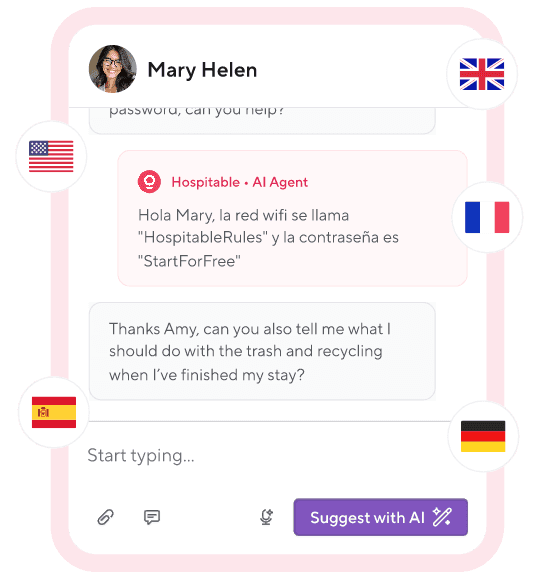
With Hospitable, you can create automated message flows and set up messaging rules for dozens of triggers, allowing our system to send messages to your guests at clearly defined moments. Using shortcodes, you can also add a personal touch to your automated message flows. This way, you can reduce your workload and ensure perfect communication at every stage of the guest journey.
You can also use Suggest with AI and Improve with AI tools available in your Inbox to quickly draft and correct detailed responses to tricky guest questions. You can review and edit AI-generated responses before sending them to guests.
You can help the AI craft more accurate messages by uploading your guidebooks to the Knowledge Hub. The AI will use this information to answer specific guest questions, such as your house rules, check-in instructions, or amenities.
Train the AI to draft responses to guest messages, and once you feel confident, you can turn on Auto Reply to enable the AI to automatically reply to guest messages while you sleep or even 24/7.
By providing quick, personalized answers to travelers’ questions and being proactive in conversations, you’ll demonstrate that you care about their needs and do your best to make them happy. Your guests will appreciate your efforts and are more likely to leave positive reviews, helping you win more bookings and build a profitable Airbnb business.
Implementing Airbnb Checkout Message
Create a concise checkout message template that can be customized so you won’t have to type the same message for each of your guests.
Incorporate messaging automation using Hospitable to ensure timely communication without constant manual effort.
Navigate to the Guest Experience section of your Hospitable account and set messaging rules to schedule sending an Airbnb checkout message the night before the checkout date.
Personalize your checkout message with the guest’s name, property details, checkout dates, and more using shortcodes.
Final Thought
Crafting an informative and friendly Airbnb checkout message can help ensure a seamless checkout process and enhance guest experience. It’s also an opportunity to show your hospitality and leave a lasting impression on your guests, setting you apart as a thoughtful host and leading to glowing reviews and repeat bookings.