OTAs
Airbnb Review Policy: How Does It Work?
Airbnb community is built on trust between hosts and guests, and reviews are one of the ways to foster it. To help you better understand how the review process works, here we’ll take a closer look at Airbnb Review Policy.

The Airbnb community is built on trust between hosts and guests, and reviews are one of the ways to foster it. Airbnb's review system allows hosts and guests to give each other honest feedback and help them make informed booking and hosting decisions.
To help you better understand how the review process works, here we’ll take a closer look at Airbnb Review Policy. You’ll also find information on how to request the removal of a retaliatory review and how to edit an Airbnb review.
Airbnb Review Policy
Airbnb emphasizes that its reviews policy was created to help ensure that guest and host feedback is authentic, trustworthy, and useful to the Airbnb community. Airbnb's Review Policy states that reviews must be unbiased and contain only relevant information reflecting the reviewer's actual experience during the stay or Airbnb Experience. All reviews must also follow the Airbnb Content Policy.
Here is how the review system on Airbnb works:
Airbnb hosts and guests can leave reviews for stays booked and paid for on this rental listing platform.
Hosts and guests have 14 days to leave a review after checkout.
Reviews are posted after the host and the guest have submitted their reviews or after the 14-day period has ended.
If you disagree with a review that someone left for you, you have the right to post a public response within 30 days after the review was submitted and provide your perspective.
You can’t remove a review you don’t agree with, but you can report it if you think it violates the Airbnb Review Policy.
Getting a lot of great reviews from your guests is crucial for running a successful Airbnb business. 5-star reviews and ratings can help improve your Airbnb search ranking, add credibility to your listing, attract more guests, and get more bookings and revenue.
It’s important to encourage your guests to leave honest reviews that reflect their personal experiences. How? Contact your guests and remind them to leave you feedback before they check out. You also need to do your part in reviewing your guests and tell other hosts that you hosted nice or even wonderful guests. Mention your guests by name to show that it was a genuine personal relationship.
After you leave a review, Airbnb will notify your guests to encourage them to provide feedback. If they had a pleasant, memorable experience during their stay, they are more likely to return the favor.
The good idea is to create many review templates and use them instead of writing unique responses after each stay. That can save you some time. But a better approach is to automate the entire Airbnb host review process using tools like Hospitable.
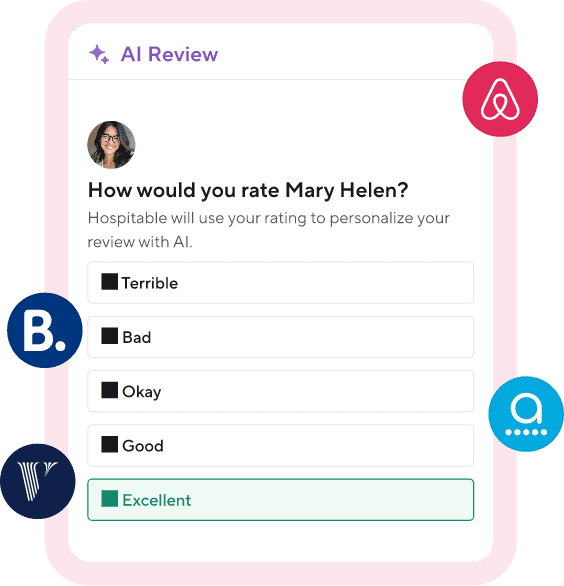
If you prefer personalized reviews, you can take advantage of Hospitable’s feature called AI review suggestions and use AI to generate thoughtful reviews for your Airbnb guests in seconds.
For hosts who did not create any review rules for a property, Hospitable automatically prepares a personalized 5-star AI review suggestion based on the booking details and the conversation with the guest. Hosts can see it in the Guest Experience section under Pending Reviews. This review suggestion will be published on Airbnb if you approve and schedule it.
You can click the Edit button and choose from other rating options to rate a guest from Terrible to Excellent. After you click any of these options, our system will provide you with an AI-generated review suggestion, which you can edit, save, and schedule to be published.
Hospitable AI can help you quickly reply to guest reviews. When Hospitable receives a new guest review from Airbnb, our AI analyzes the tone and other context related to the booking to suggest a draft response, which you can edit or send as is.
If you think there is a chance that your guest wasn’t satisfied with their stay, don’t leave them a review immediately after they check out. The guest will have time to cool down and may even forget to leave a review within 14 days if Airbnb doesn’t prompt them to do it because you’ve already submitted yours.
If you use Hospitable, our system will help you manage bad reviews and protect your profile. You just need to enable the Bad Review feature in a pending review for a troublesome guest, and your review will be delayed until the last minute to reduce the chance of retaliation.
Airbnb Review Removal Policy
Hosts and guests can remove a review they’ve written if it no longer reflects their genuine experience as a guest or a host. You can contact the Airbnb customer support team and request them to remove a review you’ve submitted after it has been published.
Airbnb encourages hosts and guests to leave transparent, honest reviews, but doesn’t moderate them before publication. Airbnb generally doesn’t mediate disputes over the truth of reviews, and hosts can’t delete negative, critical reviews submitted by guests. But if you believe a review violates the Airbnb Review Policy, you can contact Airbnb and file a review dispute to have it considered for removal.
Airbnb states that there are certain circumstances in which reviews are unhelpful or untrustworthy and may be removed if they violate its Review Policy.
A review may be removed if:
It violates Airbnb’s Content Policy—for example, it includes discriminatory, violent, or threatening content, private or confidential information.
The review is biased—for example, when the guest has been incentivized to leave a good review in return for a discounted or free stay, or if there are signs the booking was made to inflate a host’s overall rating.
The review is irrelevant to the author’s personal experience—for example, it doesn’t provide firsthand information about the host, guest, or stay that would help other members of the Airbnb community make informed booking or hosting decisions
The review is retaliatory and was written by someone who seriously violated an Airbnb policy.
Note: Airbnb states that a review will only be considered retaliatory if the reviewer committed a policy violation, was notified of that violation, and then left a biased review because their own violation was reported. So if you want to file a request, you need to provide solid evidence, such as screenshots, message threads, or photos, to support your claim. Still, there is no guarantee that a review will be removed.
More instructions and best practices on starting and running an efficient Airbnb business are in our free guide.

What to do if you get a negative review
Unfortunately, no matter how hard you’ve tried to ensure your guest has a perfect stay, they still leave a bad review. It’s frustrating, but you should keep your emotions in check.
Take your time to read the review and try to understand what went wrong. That will help you avoid similar problems in the future.
Always respond to negative Airbnb reviews quickly to add some information, address the guest’s feedback, or provide your perspective. That can help mitigate the damage a bad review may cause to your listing.
Validate the guest’s negative experience and apologize even if you don’t agree with their version of the situation. Show sympathy and thank your guest for their feedback, which can help you improve in the future, and let them know you take it seriously.
Focus on some positive aspects of the guest’s stay. This tactic will show future guests that you did your best to make the disappointed guest feel better.
You may want to check out our blog article for more tips on handling bad Airbnb reviews.
How can you avoid negative reviews in the future? Create an accurate listing to manage guests’ expectations. Do your best to make your rental space as attractive and welcoming as possible to ensure a comfortable stay. Be proactive while communicating with your guests. You must show your guests that you are a true host, responsive to their needs and willing to be flexible when necessary.
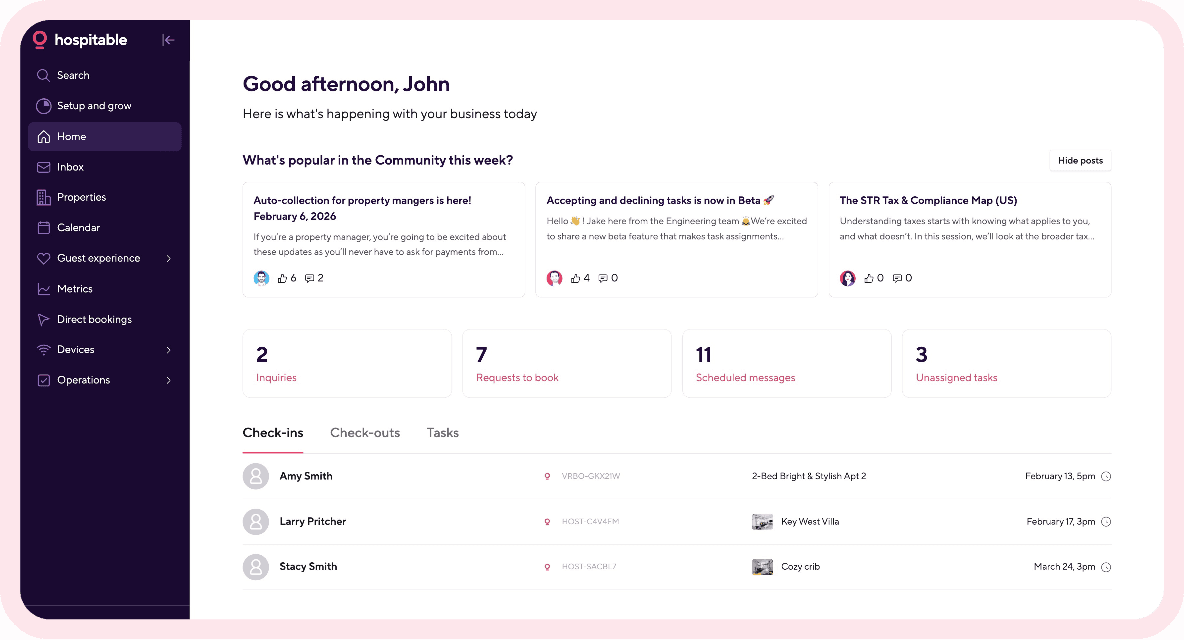
Creating an outstanding guest experience is the most effective way to get positive reviews. That’s a lot of work, but the process will be easier if you use short-term rental software like Hospitable and automate your routine tasks. Then you’ll have more time to focus on making your guests happy.
How to Edit an Airbnb Review
To encourage honest reviews, Airbnb limits the ability of hosts and guests to edit a review after it's been written. If you are the first to submit a review, you may edit it at any time within the 14-day review period, up until the other party submits their review. You can edit your recent review by going to Profile, then Reviews. Choose the reviews by you and go to the review you’d like to edit.
But once either a host or a guest submits their review, or the 14-day review period has ended—whichever comes first—both reviews are automatically published simultaneously. Then it’s impossible to edit your review and make any changes.
Remember: you can’t request edits to a review written about you. You may only contact Airbnb to request a change in the gender pronoun the other party used to describe you in their review.
Final Thought
Being a successful Airbnb host isn’t only about providing your guests with a comfortable place to stay. It’s also about maintaining good relationships with your guests and building trust within the community. Do your best to provide a memorable guest experience, and you’re sure to get more 5-star reviews and win more bookings.